News

What changed in Realtorz — week by week, with a short demo where it helps.

Week of 2 Nov 2026

PRG2#crm#ux

Сделка — бумаги грузятся в окне сделки, поиск клиента на паузе во время резервации

Not translated yet — shown in the original language.
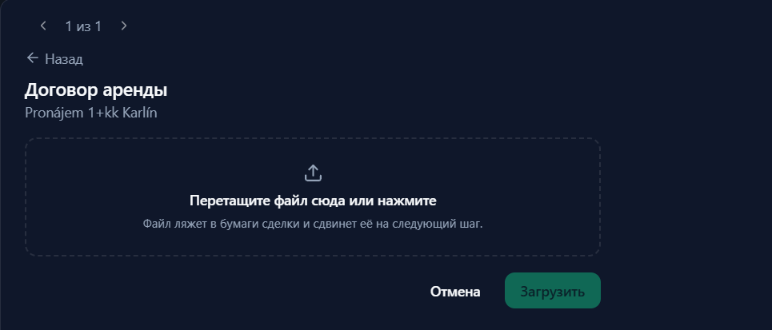
Загрузка договора — шагом в окне сделки

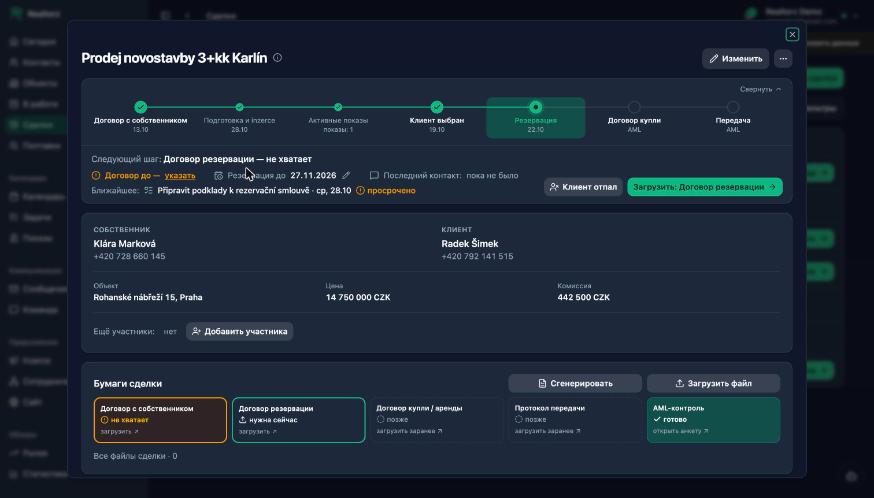
Договор резервации, договор купли или аренды и протокол передачи теперь грузятся прямо в окне сделки: файл можно перетащить, у резервации сразу стоит срок на 30 дней. Раньше кнопка уводила в раздел «Объекты». Загрузил — сделка переходит на следующий шаг.

More
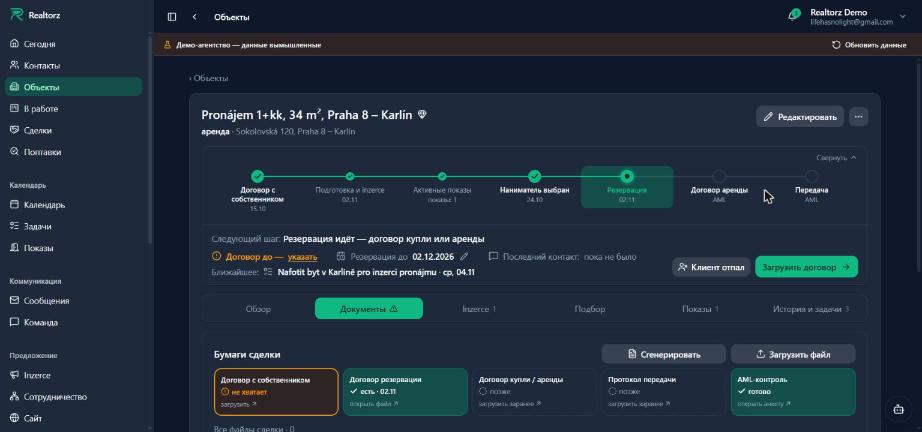
Было: «Загрузить договор» уводил в «Объекты → Документы»
Стало: загрузка шагом в окне сделки

Пока клиент резервирует объект, его поиск стоит на паузе: подбор не шлёт ему новые объекты, а в поптавке написано почему и есть ссылка на сделку. Сорвалась резервация или клиент отпал — поиск продолжается сам. Окно резервации предлагает отменить будущие показы клиента на другие объекты.

Если сделку закрывают «Потеряно», потому что собственник передумал, окно само предлагает снять объявление — объект перестаёт предлагаться клиентам. «Завершено» без договора купли или аренды закрыть можно, но окно об этом предупреждает. После «Сгенерировать» — ссылки на готовые документы.


Permanent link

PRG1#crm#ux

Сделка — экран обновляется сразу, одно «что дальше» везде, подбор идёт по шагам

Not translated yet — shown in the original language.

Строка подбора на шаге «Записан на просмотр» — на виду «Открыть показ»

После любого действия по сделке экран обновляется сам: выбор клиента, загрузка договора, показ, квалификация. Раньше часть экрана показывала старое до перезагрузки, и казалось, что не сработало.

More

«Что дальше» теперь одно и то же в списке Сделок, на карточке сделки, в окне объекта и на табло «В работе». Если у стадии не хватает бумаги, это написано в подсказке шага, а рядом стоит серая кнопка загрузки. Главная кнопка остаётся шагом сделки: на «Передаче» это «Завершить сделку».

Строка подбора в поптавке ведёт по шагам: «Отправить» → «Назначить показ» → «Открыть показ» → «Открыть сделку». Повторная отправка — в «⋯».

Было: после показа на виду снова «Отправить клиенту»
Стало: на шаге «Записан на просмотр» — «Открыть показ»

Карточка на табло «В работе» открывается кликом в любое место. «Квалифицировать» сразу открывает форму «Дописать» с недостающими полями. Дата договора с собственником больше не меняется, когда клиент отпал или сделку открыли заново.

Permanent link

Week of 26 Oct 2026

LAND2a#web

Сайт realtorz.cz — новый первый экран, витрина и день маклера

Not translated yet — shown in the original language.

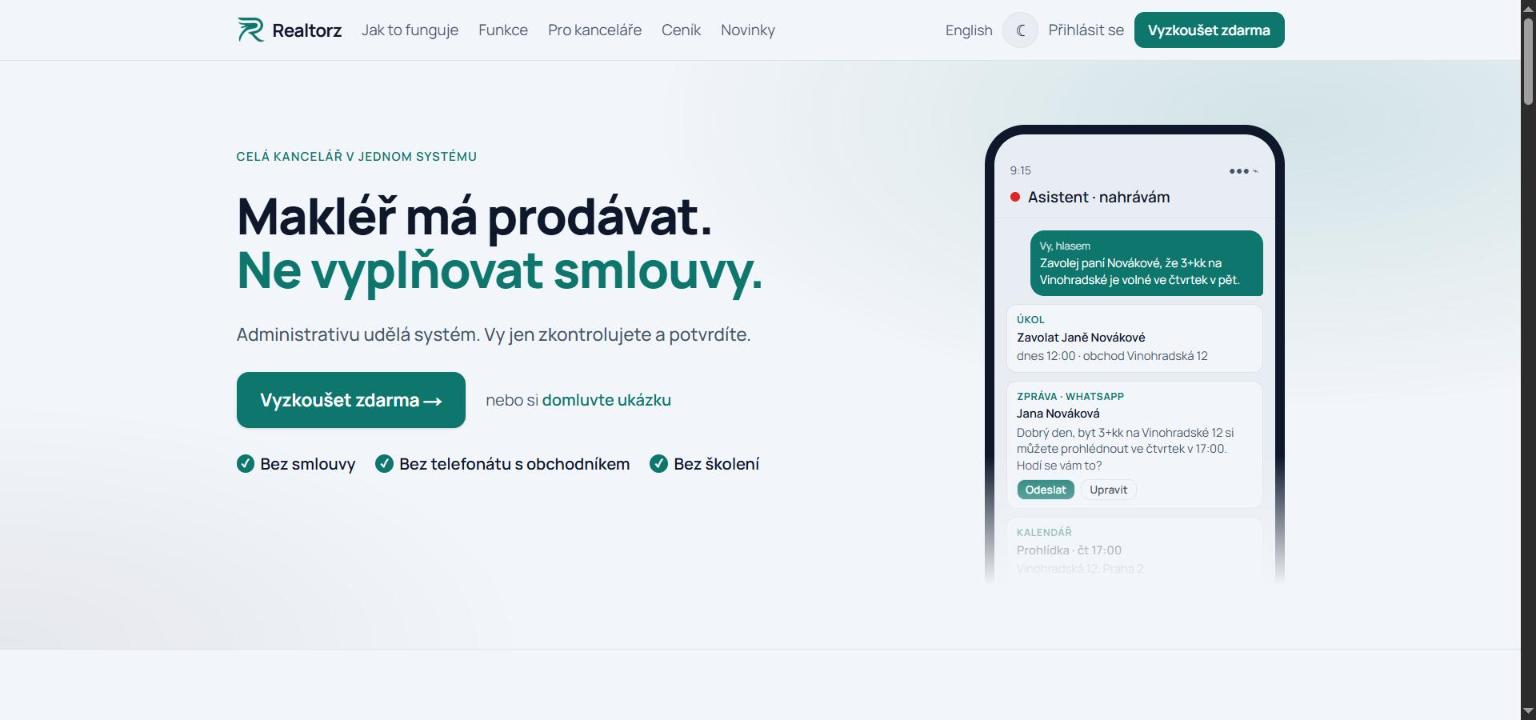
Новый первый экран realtorz.cz — «Makléř má prodávat. Ne vyplňovat smlouvy.» и одна кнопка «Vyzkoušet zdarma»

Главная realtorz.cz стала короче и понятнее. Первый экран говорит, зачем Realtorz: «Makléř má prodávat.» — и второй строкой меняются окончания (ne přepisovat údaje, ne vyplňovat smlouvy, ne hledat poptávky v poště, ne hlídat každý termín). Вместо поля e-mail и двух кнопок — одна кнопка «Vyzkoušet zdarma» и тихая ссылка на ukázku; под ней три галочки «bez smlouvy, bez telefonátu, bez školení».

More

Сразу после — шесть плиток «как сейчас → как у нас» с красным крестиком и зелёной галочкой, тёмная витрина с настоящими кадрами приложения, «один день маклера» шкалой времени (у каждого шага видно, что сделал Realtorz сам и что сделали вы, переключатель «Vedoucí kanceláře») и новый блок «Co jinde nenajdete»: вся переписка в одном vlákně, ассистент, договоры из своих шаблонов, проверки клиента, сделка с další krok, web kanceláře.

Вид: шрифт Manrope с полным чешским набором, цвета брендбука (тёмно-синий и зелёный, как в CRM), знак Realtorz в шапке и подвале, тема по системе с переключателем. Кадры приложения сняты заново с демо-агентства по-чешски в двойном разрешении — светлые в светлой теме сайта, тёмные в тёмной. Чешские тексты пока без вычитки носителем.

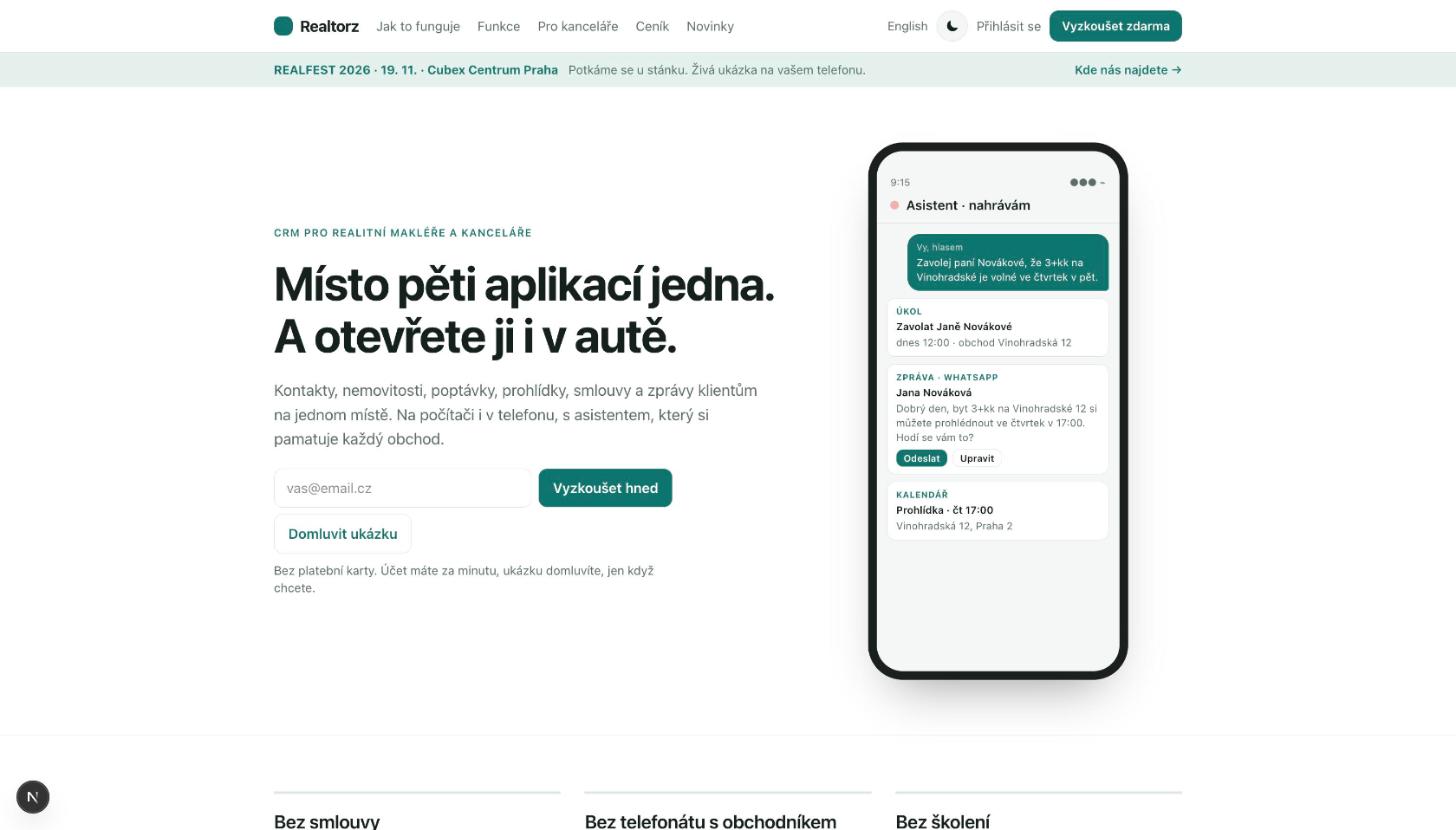
Было: первый экран до правки
Стало: новый первый экран

Otevřít realtorz.cz

Permanent link

LAND1#web

Новый сайт realtorz.cz

Not translated yet — shown in the original language.

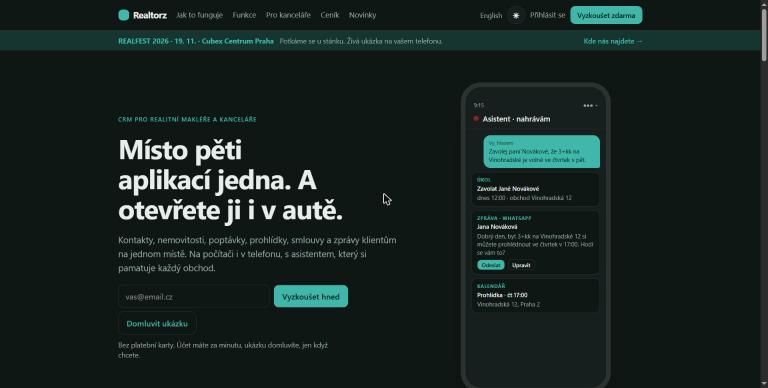
Главная realtorz.cz — первый экран с формой «Vyzkoušet hned» и телефоном ассистента

Сайт realtorz.cz собран заново и живёт в нашем репозитории вместе с продуктом, а не в конструкторе Framer. Главная рассказывает один день маклера: поптавка с сайта утром, ассистент в машине, показ, договор из шаблона, вечером клиент замолчал — и на каждом шаге настоящий модуль Realtorz. После — экран руководителя кабинета, сетка остальных модулей и честный блок «bez smlouvy, bez telefonátu s obchodníkem, bez školení».

More

Кнопка «Vyzkoušet hned» ведёт в продукт: одно поле e-mail, дальше код входа и визард нового кабинета. Отдельные страницы: /realfest для гостей REALFEST 2026 (19. 11., Cubex Centrum Praha), /cenik без цифр — условия и запрос предложения, /ukazka — запись на показ. Всё по-чешски и по-английски (/en), светлая тема по умолчанию и тёмная переключателем.

Главная realtorz.cz

Otevřít realtorz.cz

Permanent link

GML2#posta

Gmail — sign in with Google to send

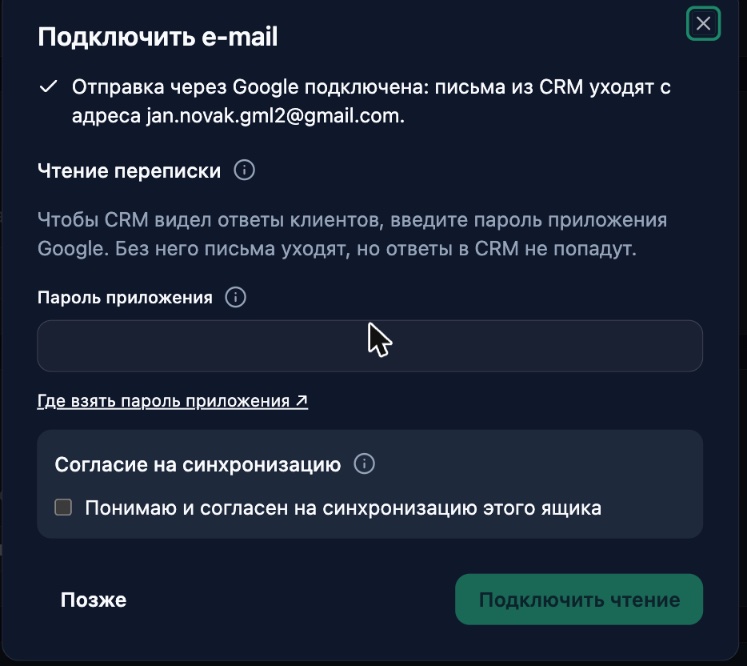
Окно «Подключить e-mail» после входа через Google — отправка подключена, следующий шаг «Чтение переписки»

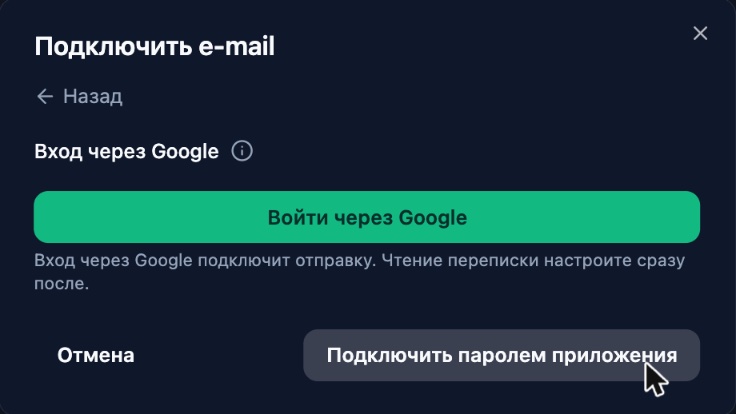
You can now connect Gmail by signing in with Google: the "Sign in with Google" button in the "Connect e-mail" window is no longer greyed out. Google gives us sending from your address only — email from the CRM goes out from you, and no app password is needed for sending.

More
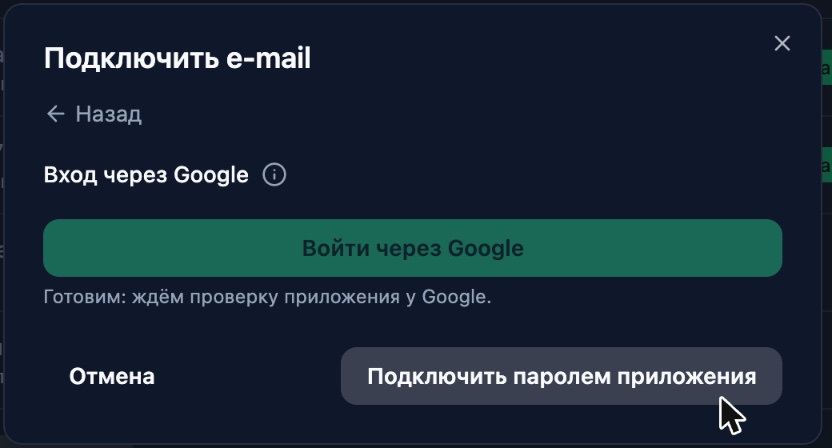
Before: Google sign-in disabled, "waiting for Google to verify the app"
After: the button works, with a line underneath saying exactly what it connects

After you return from Google, the window opens straight on the "Reading the conversation" step. Google only lets apps that pass its paid security audit read mail through a Google sign-in, so the CRM fetches client replies over IMAP with an app password. You can choose "Later": email keeps going out, and you connect reading in the mailbox card with a password or forwarding.

The window now explains step by step where to get an app password: the button opens the app passwords page of the right Google account (even if you have several in your browser), next to it is a link to turn on 2-Step Verification, and an honest note: you enter the password once and need a new one only if you change your Google password.

In the "Channels" list, the mailbox row now says in words how it works: "sends via Google · reads over IMAP" or "does not read replies". If Google revokes access, the "Verify" button says so in words and suggests connecting the mailbox again.

Permanent link

VID2#crm#ux

One view for all sections — the "New view" toggle is gone

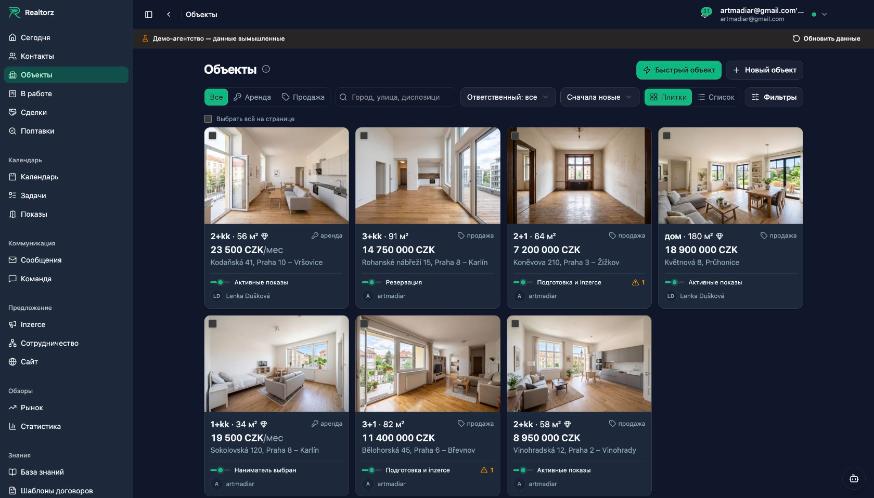
Объекты в новом виде — одна строка над списком, тихие плитки, карточка окном

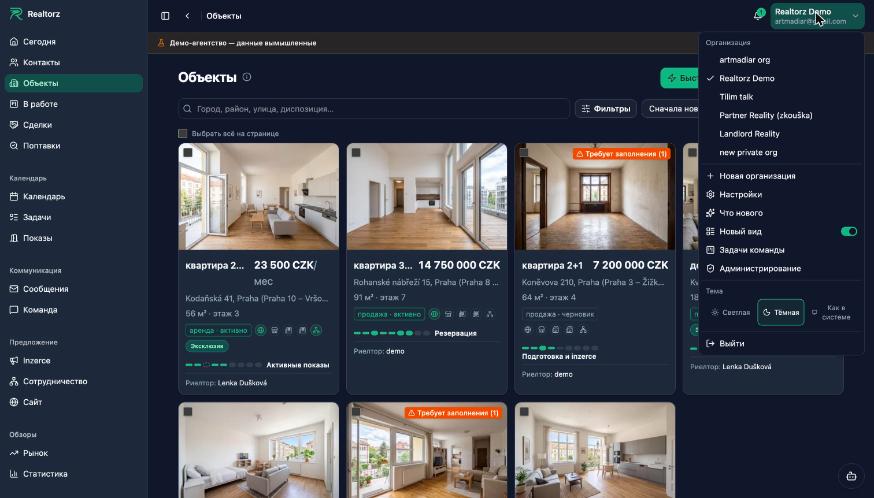
The "New view" toggle in the profile menu is gone: the new section view is now the only one for everyone. Since October 16, sections have been migrating to a shared layout one by one, each enabling the new view on its own. Contacts, Properties, Inquiries, Deals, Tasks, Showings, Calendar, In Progress, Market and Messages have all made the switch — it's time to stop living in two views.

More
Before: old Properties tiles and the toggle in the menu
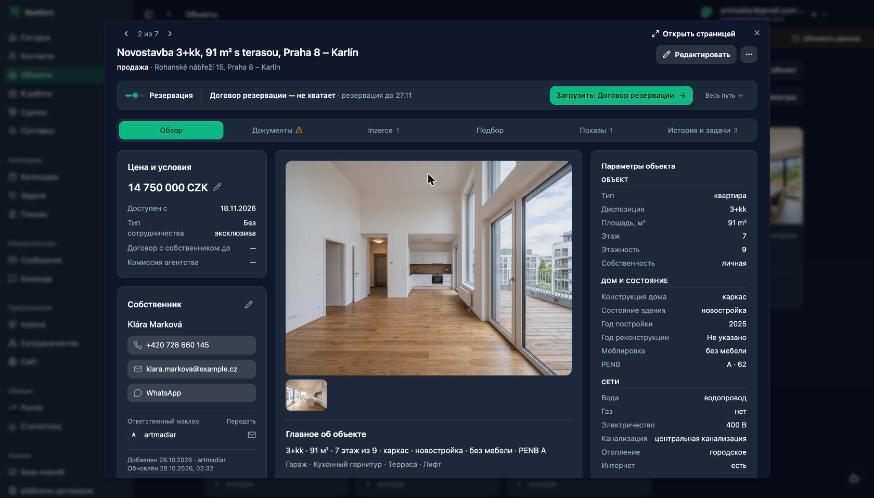
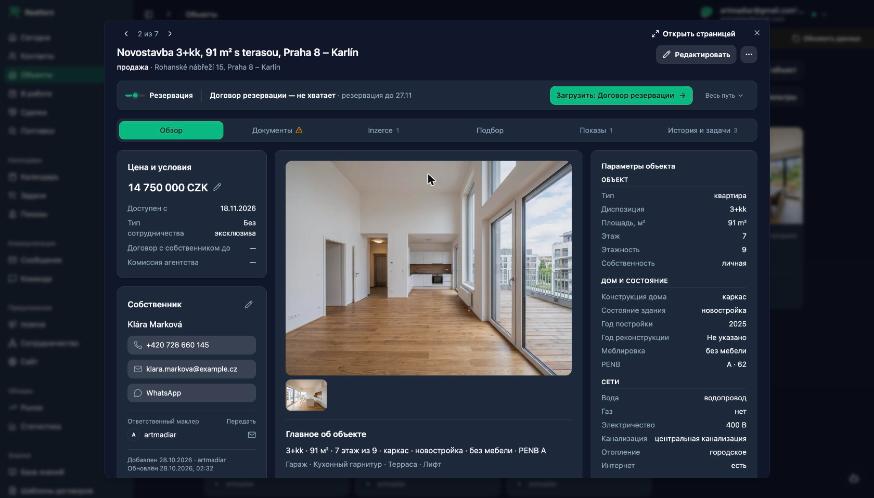
After: Properties in the new view — one toolbar above the list and a card as a modal window

What is consistent across all sections:

  • One toolbar above the list in a fixed order: All / Rental / Sale, the section's main filter, search, "Responsible agent", sorting; everything else — under a single "Filters (N)" button, active filters shown as chips.

  • Cards open as a modal window over the list: filters and list position are preserved, "‹ 3 of 48 ›" navigates through records in sequence, "Open as page" — for longer work sessions.

  • Properties: a clean tile (what · price · location, deal stage and agent below the line), list in two columns, card as a modal window with six tabs: Overview, Documents, Inzerce, Matching, Showings, History and tasks. Property card as a modal window: deal progress collapsed into one line, six tabs

  • Deal progress in a deal and in a property — as a single block: a stage track and a "what's next" bar with buttons on the right; in a contact — as a single line.

  • "In Progress" board: management sees the entire agency, the agent — their own; an empty personal board suggests what to do next.

Spolupráce, Inzerce and part of Calendar have not been redesigned yet — they remain as they were and are being finished in the same new view.

Permanent link

KRT2#crm#ux

Property window finished — edit by blocks in place, one task window, edit pages with one look

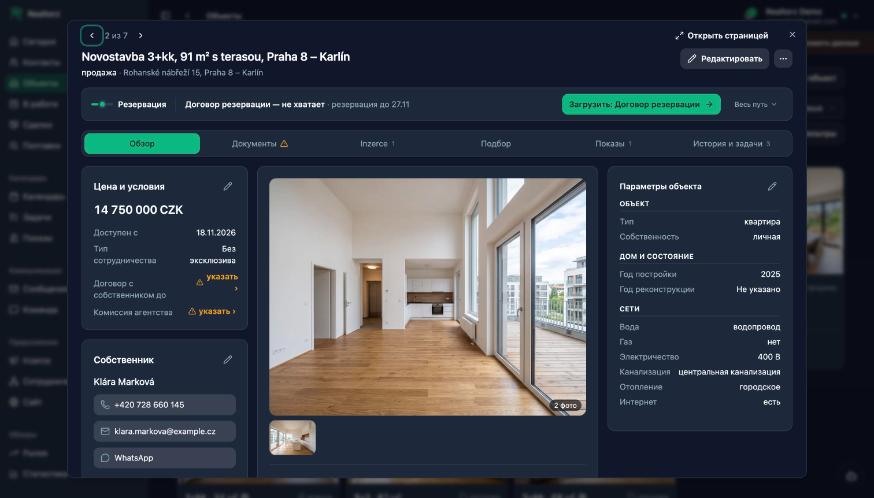
Окно объекта — карандаш у каждого блока, «указать ›» у пустых условий, число фото на обложке

The property window is finished to the mock-up. Overview without gaps or repeats: columns aligned, the map full-width below them, “Parameters” no longer repeat the “Key facts”. Empty “Contract until” and “Commission” show ⚠ “specify ›” instead of a dash and lead to the field. The cover shows the photo count. The “⋯” menu has the PDF presentation and the property chat. Above the Properties list, “Needs completion N” is counted by the server.

More
Before: property window without in-place editing, map in the right column
After: a pencil on every block, ⚠ “specify ›”, photo count

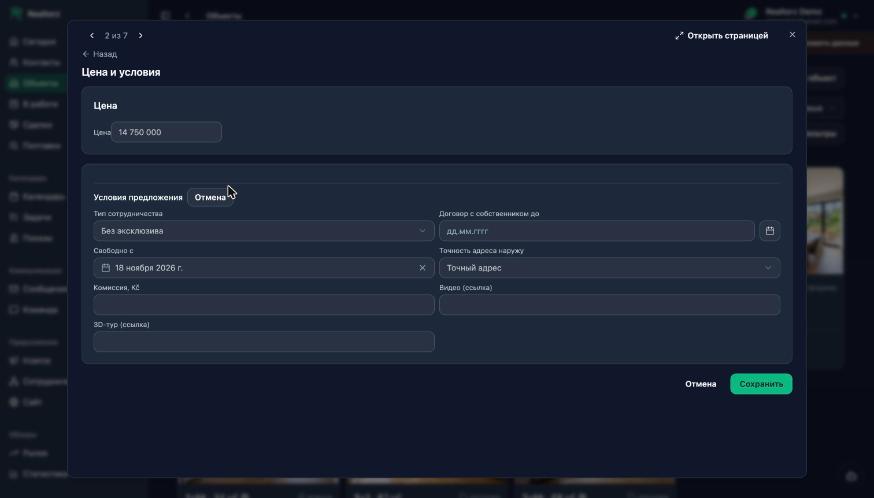
Editing by blocks without leaving the window: the pencil on “Price and terms”, “Parameters”, “Address” and “Description” opens the form of that block only, as a step in the same window; “← Back” returns. The “Edit” button opens all blocks in a row. “⚠ not filled N ›” leads to the field in the step. The direct link to the edit page still works.

The “Price and terms” edit step inside the property window

A task is created with one window everywhere — from Tasks, the contact card, the property window and a Calendar slot. Actions from card windows (plan a viewing, note, hand over, PDF preview, post to Spolupráce, stop reason) open as a step in the same window, not as a second window on top.

The edit pages of contact, property, demand and deal look the same: record title, “‹ to the card”, “Cancel” and a green “Save” at the bottom. Far dates (birth, document validity, contract until) are typed as digits dd.mm.yyyy, the calendar stays as a fallback, years run from the current one downward. For a legal entity the registers search by IČO and company name, and AML prefills the name and address.

Permanent link

KRT1#crm#ux

Cards built from the same blocks and a scroll-free “In progress” board

Табло «В работе» — пустые стадии сжаты, заполненные делят ширину, у сделки обе стороны

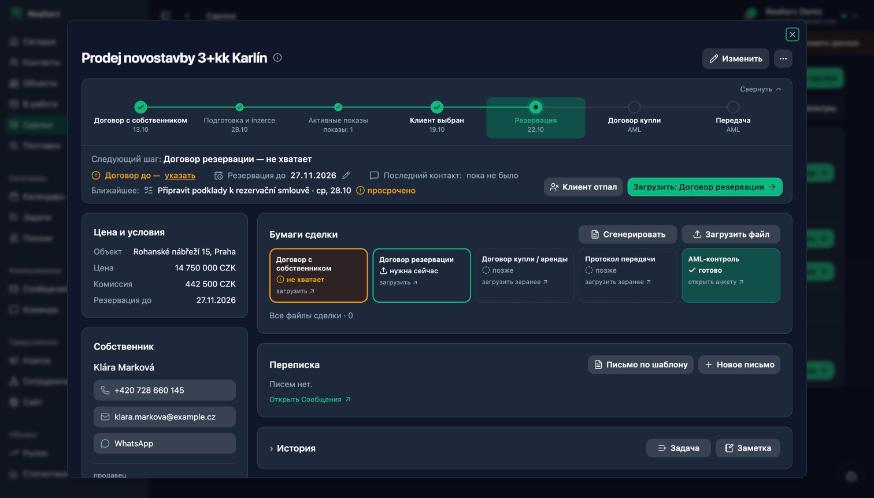
The same thing now looks the same in every card. A person (owner, client) is a block with the name, phone, e-mail and messengers as button rows; terms (property, price, commission, deadlines) are a “label — value” list. In the deal card the former combined block is split into “Price and terms”, “Owner” and “Client”, just like in the property window and the contact card.

More
Before: owner, client, property and money in one block
After: “Price and terms”, “Owner”, “Client” as separate blocks

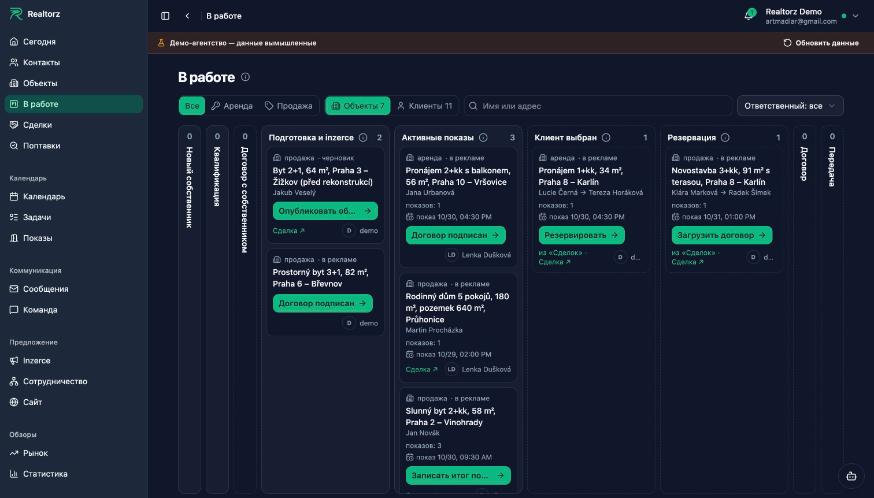
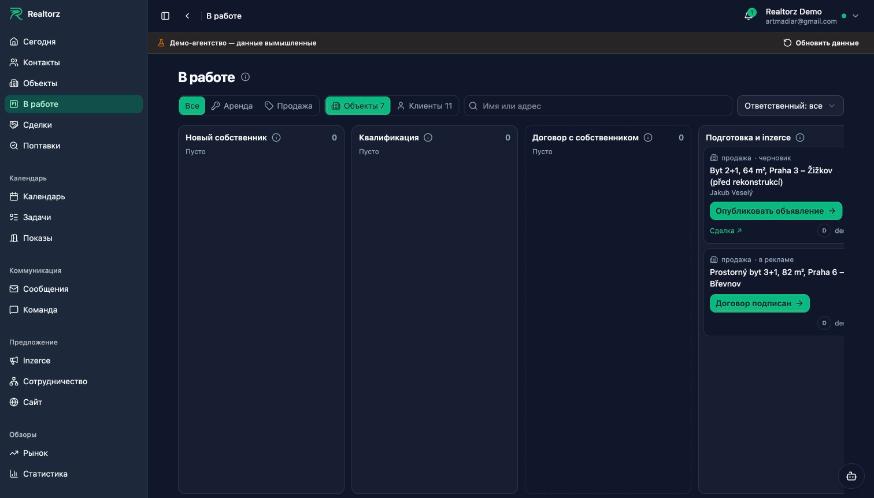
“In progress” board: empty stages collapse into a narrow strip, populated ones share the width, and every stage is visible without horizontal scrolling. From “Client chosen” onward the card shows both sides of the deal in both views: “property · owner → client”. The name and address on a card open the contact and the property as a window over the board. If the board fails to load, it says so in words and offers “Show my board”.

Before: half of the stages behind a scrollbar, only one side of the deal visible
After: all stages on screen, empty ones collapsed, both sides of the deal

“Empty” and “Loading…” are now one element across all sections: one sentence to the point and, where it exists, an action.

Permanent link

MAIL4#crm#komunikace

Подключение почты по шагам — бесплатный адрес, своя почта или домен агентства

Not translated yet — shown in the original language.

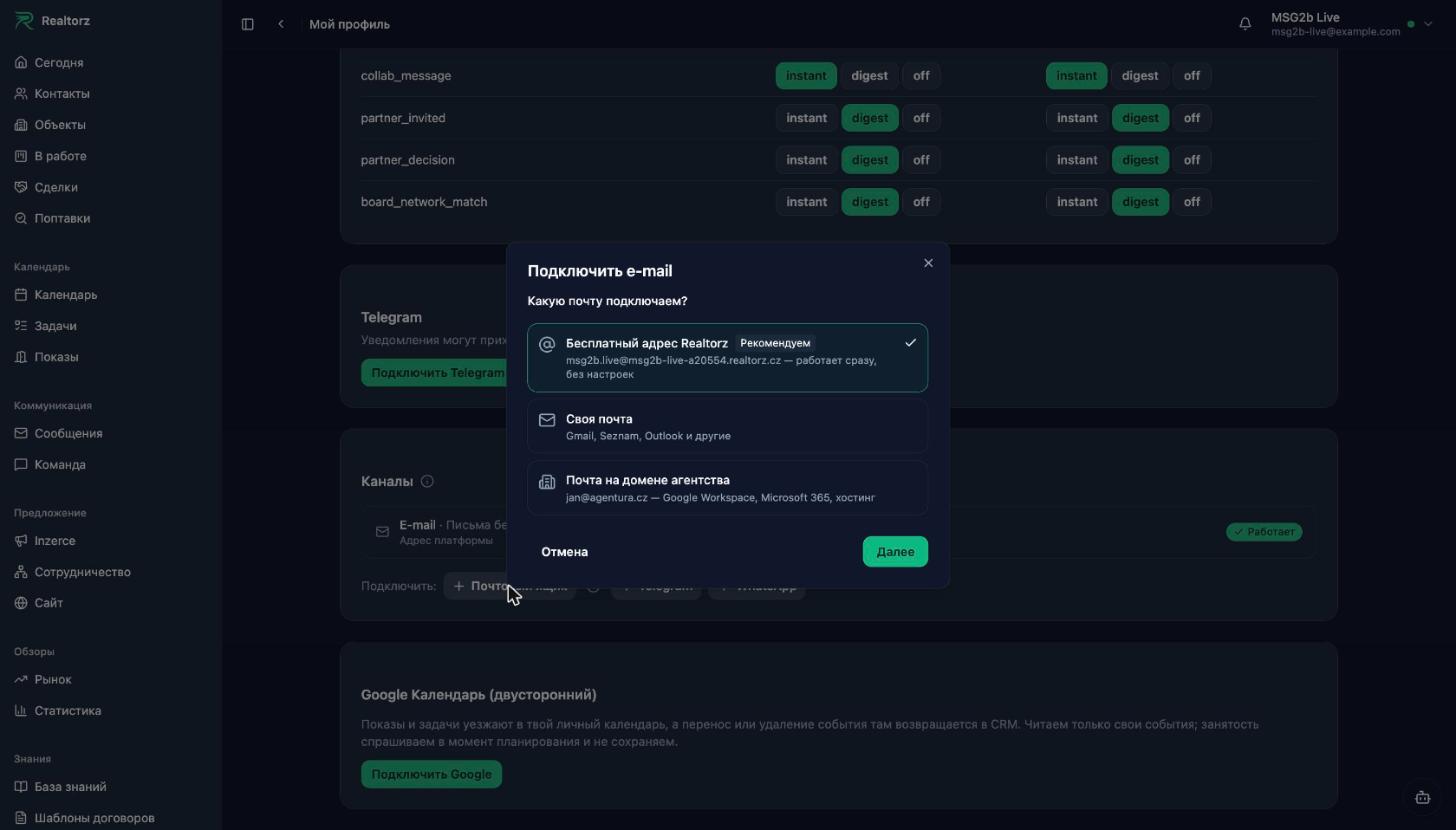
Окно «Подключить e-mail» — три варианта, бесплатный адрес Realtorz первым

Подключение e-mail в «Kanály» теперь идёт по шагам: сначала вы выбираете, какую почту подключаете, потом окно ведёт по нужной ветке до работающего ящика. Раньше после «Připojit» ящик оставался черновиком, и что делать дальше, было непонятно.

More
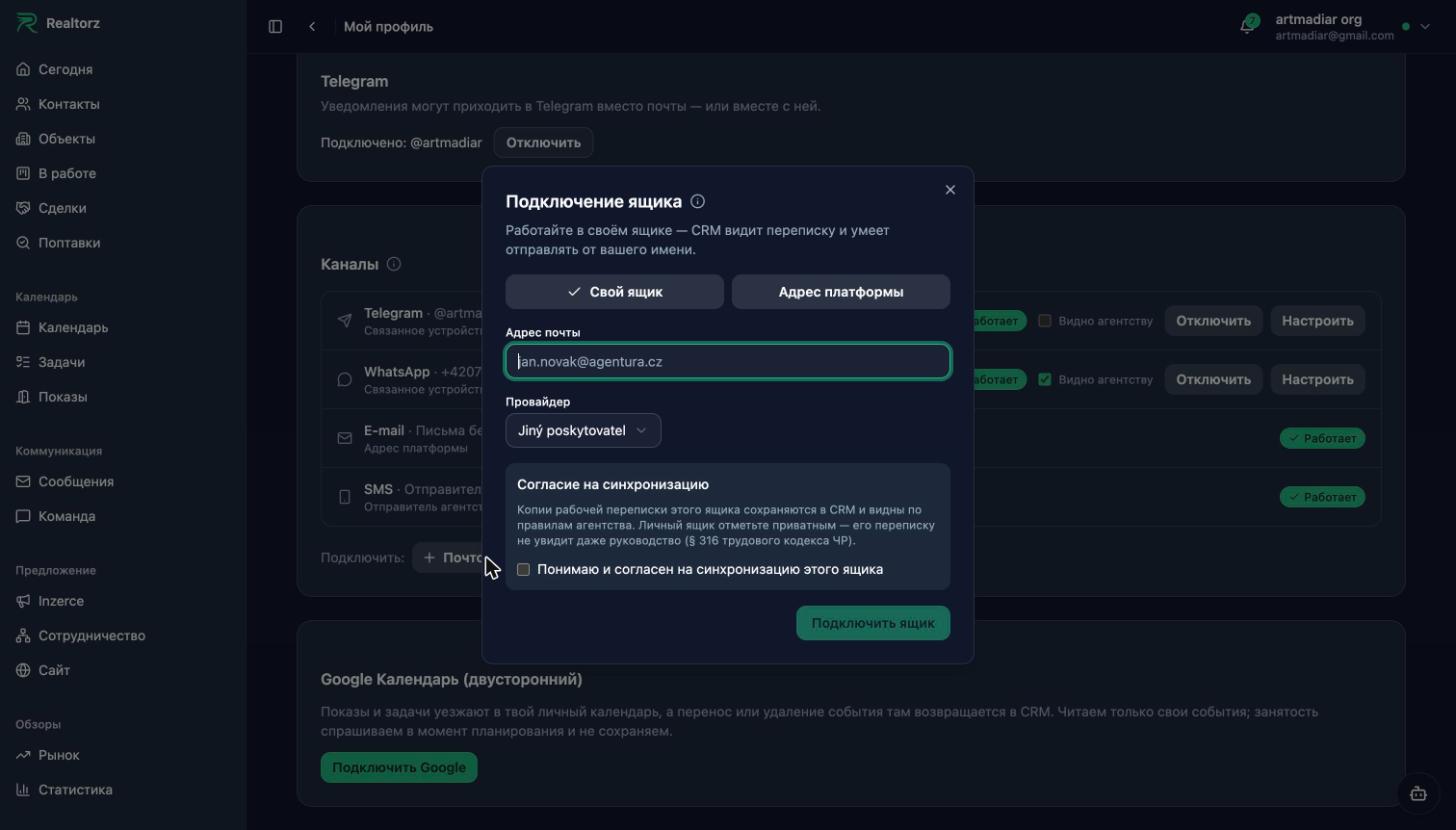
Было: одна форма «адрес + согласие», после неё ящик ждал настройки
Стало: три варианта, бесплатный адрес Realtorz — первым и работает сразу
  • Бесплатный адрес Realtorz — jméno@<agentura>.realtorz.cz. Без паролей и настроек: письма уходят и приходят прямо в CRM.
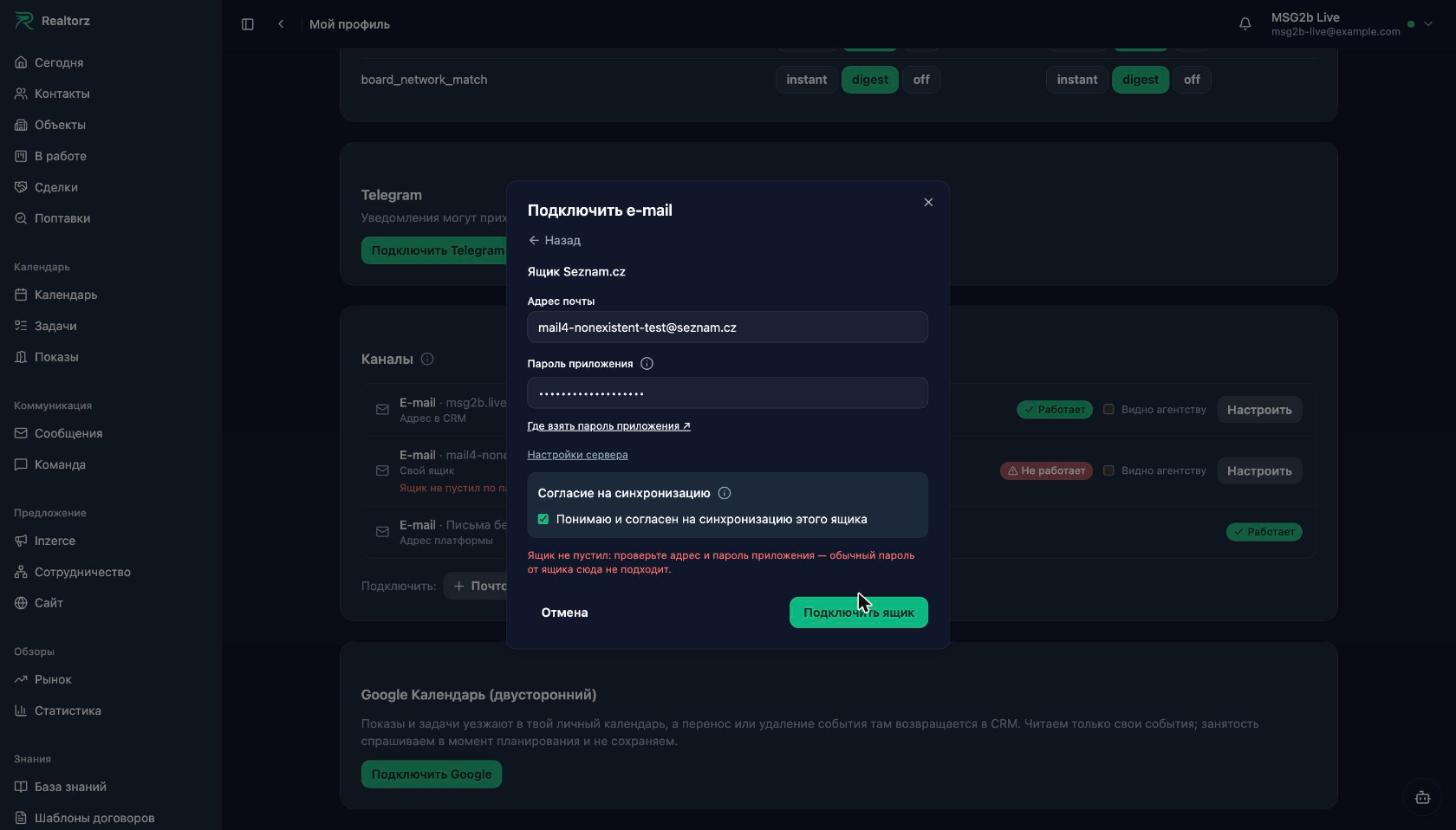
  • Своя почта — Gmail, Seznam, Outlook и другие. Для Seznam и других провайдеров — одна форма: адрес и один пароль приложения, серверы уже заполнены. «Připojit» сразу проверяет вход и чтение. Если ящик не пустил, окно скажет почему словами, не кодом сервера.
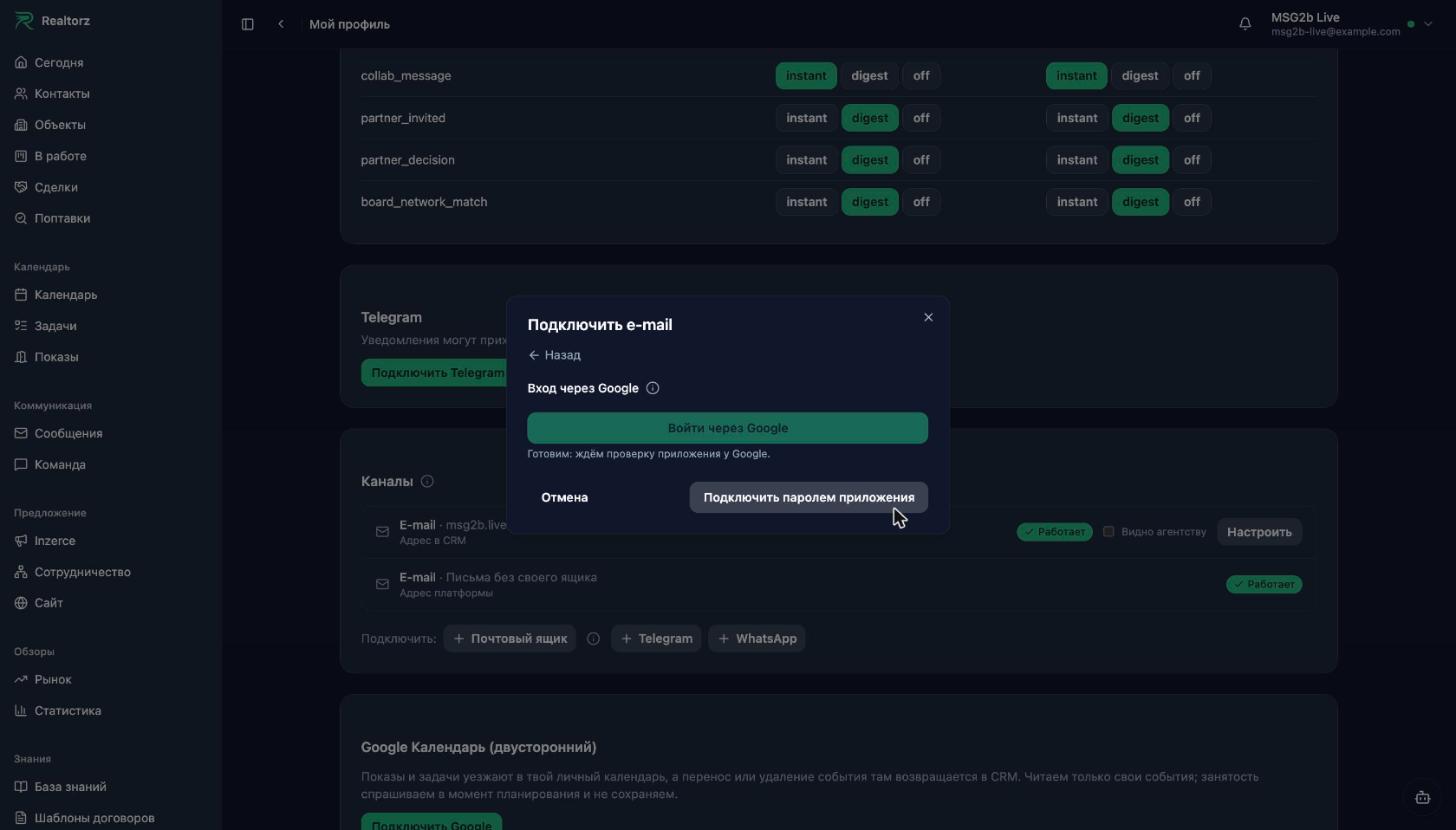
  • Gmail и Outlook получат вход через Google и Microsoft — без пароля приложения. Пока приложение проходит проверку у Google и Microsoft, кнопка видна, а рядом обходной путь: Gmail — паролем приложения, Outlook — бесплатным адресом Realtorz.
  • Почта на домене агентства — Google Workspace, Microsoft 365, Zoho или хостинг. Если почты на домене ещё нет, следующим шагом подключим домен к Realtorz целиком. Этот шаг готовим.
Gmail: вход через Google готовится, рядом — подключение паролем приложения
Неверный пароль: причина словами в окне и в строке «Kanály»

Telegram в «Kanály» теперь подключается только своей учёткой: бизнес-бот с окном 24 часа и Premium новым больше не предлагаем. Уже подключённые боты продолжают работать.

Permanent link

ERR1#crm#komunikace

Why a message failed to send — explained in plain language, and editing already sent messages in messengers

Неотправленное письмо — причина словами, подсказка и свёрнутые подробности

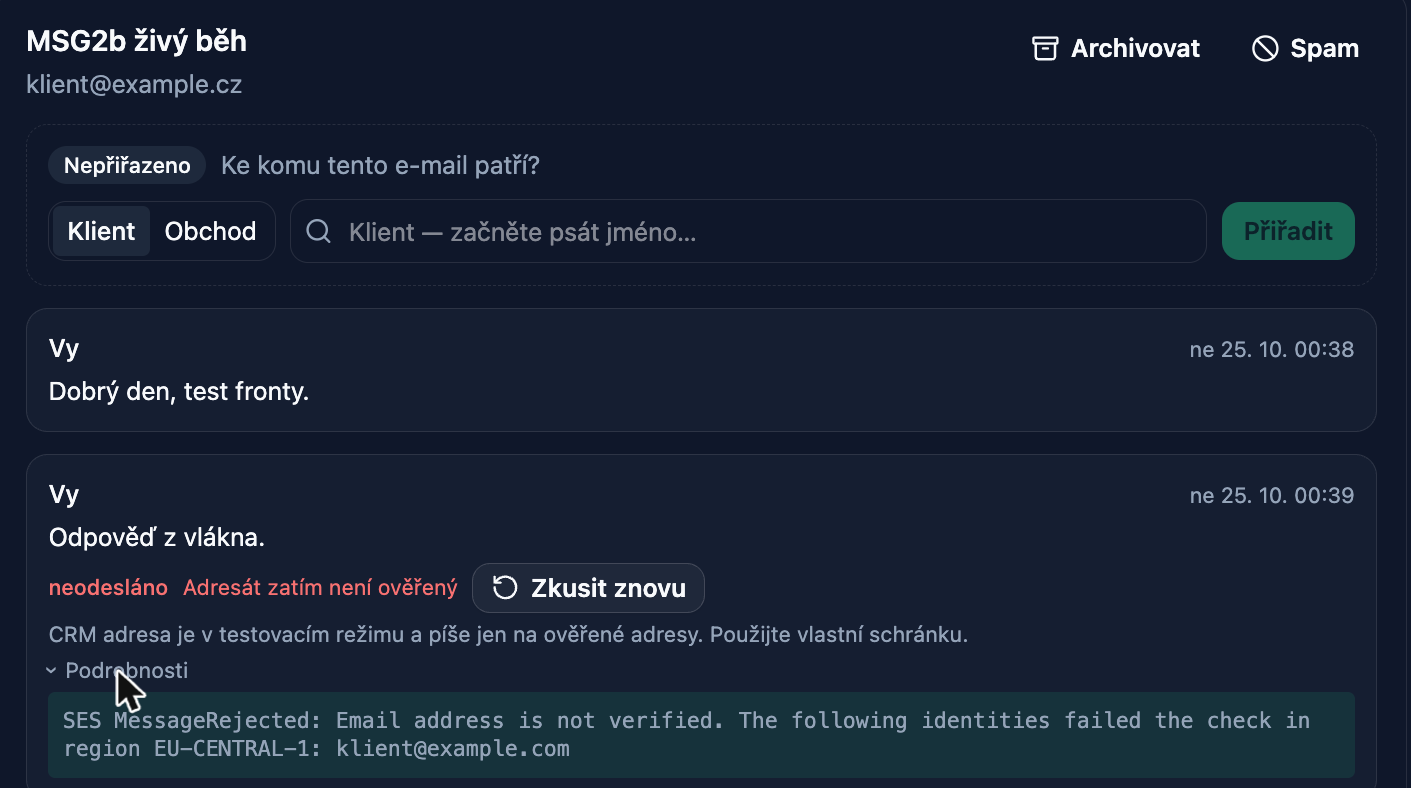
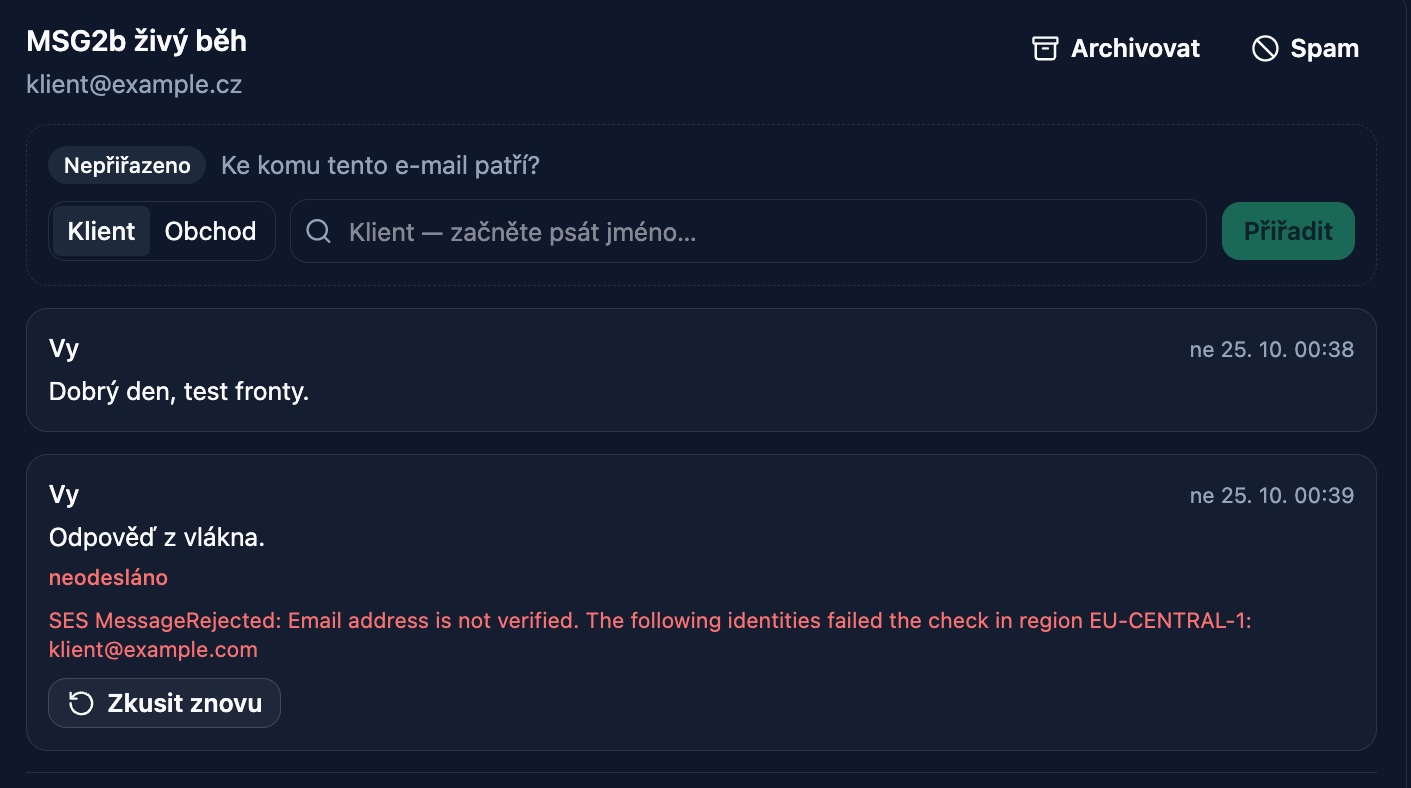
When a message fails to send, the thread now shows the reason in plain language — in the interface language and with a hint on what to do — instead of a raw English line from the mail server.

More
Before: raw SES server response in English shown below the message
After: "Adresát zatím není ověřený", a hint, and details available under expansion
  • Reason in plain language. "Adresát zatím není ověřený", "Schránka odmítla přihlášení", "Příloha je moc velká", "Příjemce je v kanálu nedostupný" — for email, Telegram, WhatsApp, and SMS. Below the reason — what to do: update the password in Channels, reduce the attachment size, try again later. Where you need to go to Channels, there is a direct link.
  • Details under expansion. The technical text is still there — hidden under "Podrobnosti", for support purposes. "Zkusit znovu" remains in place.
  • Same wording in Channels and in the assistant. A broken connection in Channels is labelled with the same phrase, and the assistant, reading the thread, explains the reason instead of quoting the server.
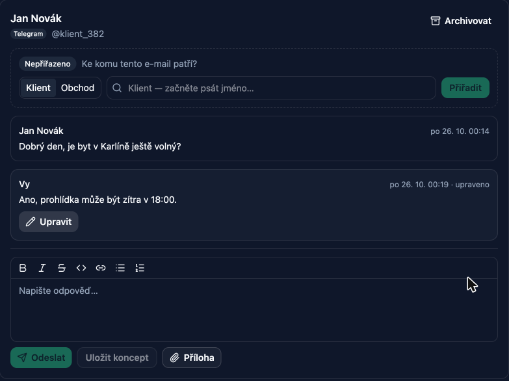
  • Editing sent messages. Your own messages in Telegram (business bot and personal account) and WhatsApp now have an Edit button: the edit is delivered to the client in the messenger, and the thread shows an "upraveno" mark. You can edit your own message within the channel's time window: Telegram — 48 hours, WhatsApp — 15 minutes. Email and SMS cannot be edited after sending — that is how those channels work.

Editing a sent message: text updated, "upraveno" mark shown

  • Ukázková kancelář honestly indicates that messages from it are not sent — for any channel, not just email.

Permanent link

Week of 19 Oct 2026

CONN1#crm#komunikace

Свой адрес в CRM без ящика и Telegram без окна 24 часов

Not translated yet — shown in the original language.

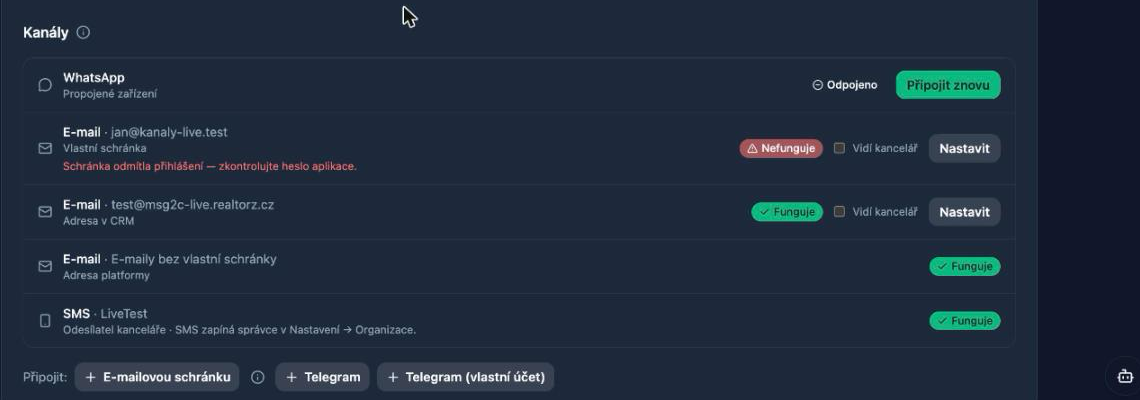
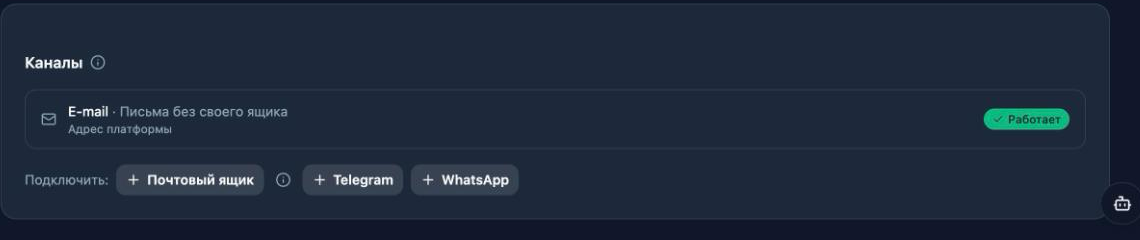
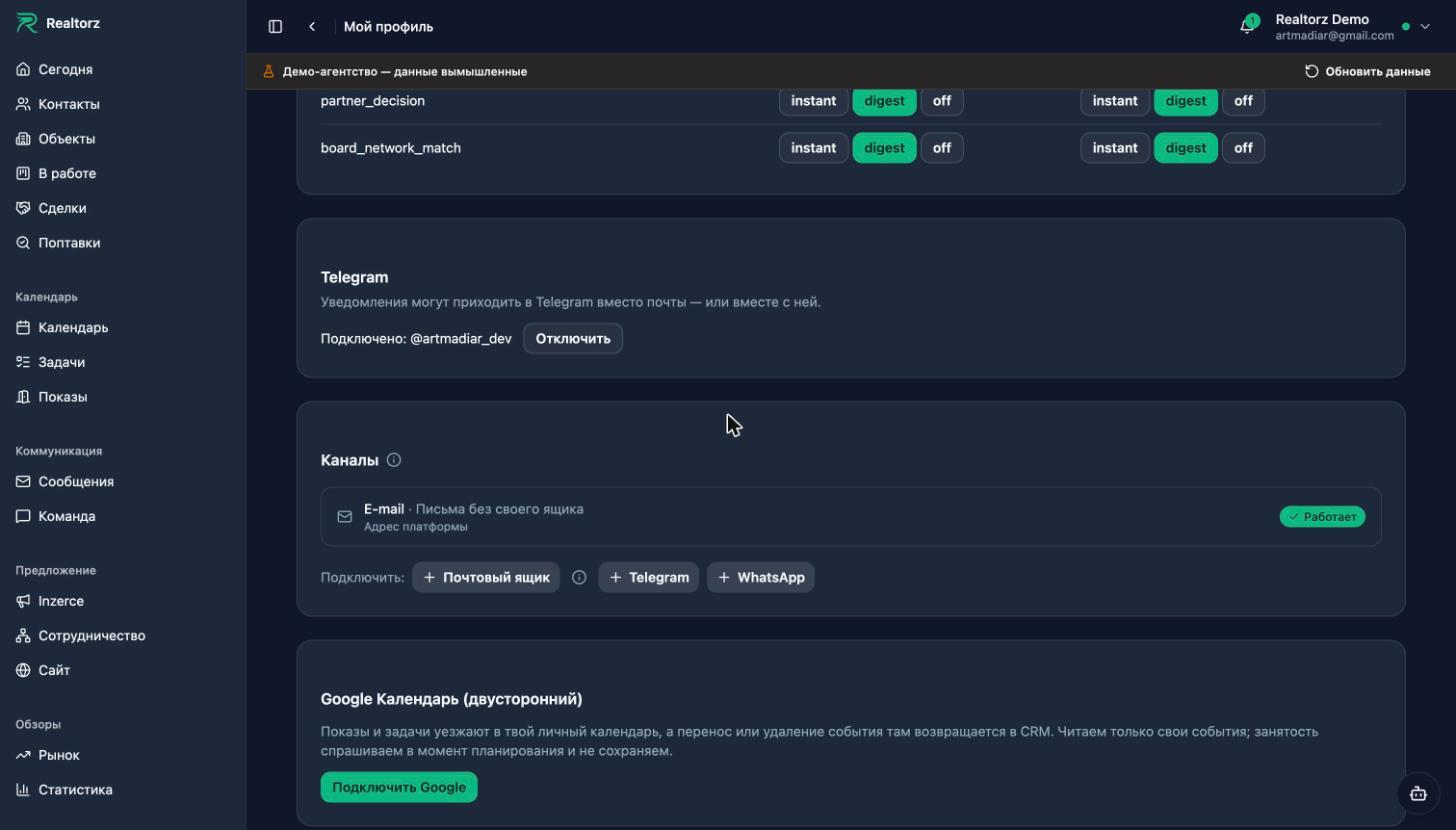
Блок «Kanály» — адрес платформы и своя учётка Telegram рядом с ящиком и ботом

Два новых способа подключить переписку — для тех, у кого нет своего ящика, и для тех, кому тесно в бизнес-боте Telegram.

More
  • Адрес платформы. В «Kanály» → «Připojit schránku» → «Adresa platformy» маклер выбирает имя и получает адрес вида jan.novak@<agentura>.realtorz.cz. Он живёт только в CRM: письма уходят из Zprávy и от ассистента, ответы клиентов возвращаются в тот же тред. Настраивать нечего — DNS и подписи система ставит сама, статус словами: «Připravujeme adresu…» пару минут, потом «Funguje».
  • Telegram со своей учётки. Рядом с бизнес-ботом — «Telegram (vlastní účet)»: сканируешь QR в Telegram → Zařízení, при облачном пароле вводишь его. Окна 24 часов нет, правки и файлы работают, история чата видна. Писать первым незнакомому по-прежнему нельзя — так задумано.
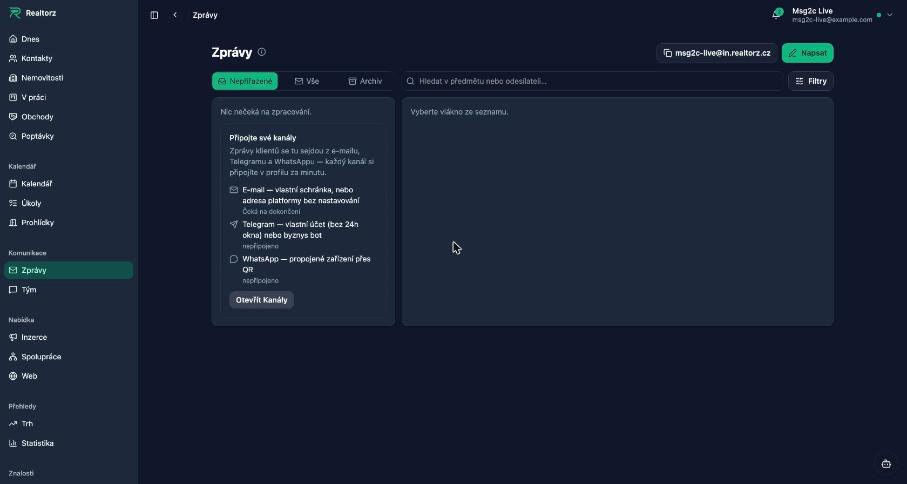
  • Пустые Zprávy подсказывают, что подключить: e-mail, Telegram, WhatsApp со статусом по твоим подключениям и кнопкой в «Kanály».
Было: в «Kanály» только адрес платформы на всю организацию
Стало: свой адрес в CRM и Telegram со своей учётки — строками рядом с ящиком
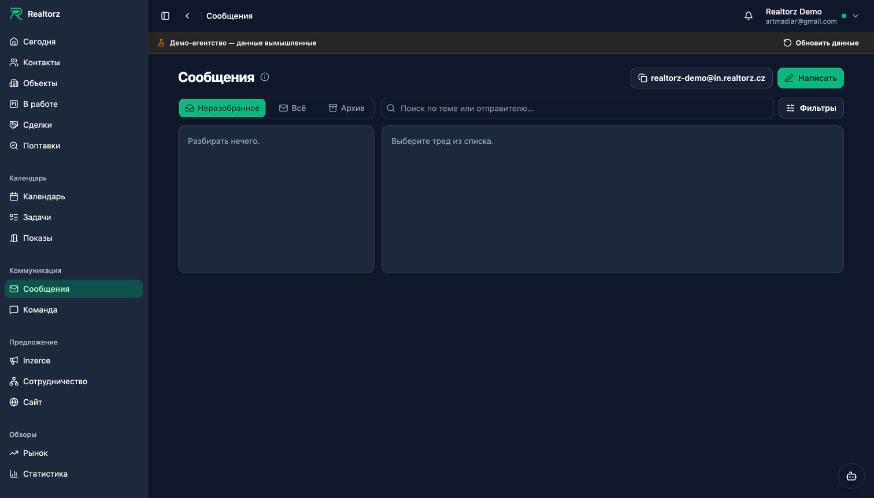
Было: пустые Zprávy — «Разбирать нечего»
Стало: подсказка «Připojte své kanály» с честным статусом каналов

Pro tým

Почта организаций переехала на Amazon SES Tenants (решение 253): у каждого агентства свой тенант с репутацией, подавлениями и паузой — «грязное» агентство тормозит только себя. Письма платформы (OTP, приглашения, уведомления) остаются на Resend. Приём — receipt rule на поддомены realtorz.cz → S3 → SQS → наш разбор MIME; события доставки — той же дорогой. Инфра описана в infra/aws (OpenTofu). Telegram-движок — apps/tg-engine на GramJS в отдельном контейнере (профиль telegram, порт 3420), как WAHA у WhatsApp. Реестр транспортов переписки теперь выбирает транспорт по паре канал × вид подключения. Развилки сборки — решение 254, факты живого спайка — docs/31-mail-infra.md §8.10. Аккаунт SES пока в sandbox: шлёт только на верифицированные адреса, выход — кейс 179289957500384.

Permanent link

COMM1#crm#komunikace

All communication in one chat — channels, formatting, honest send status

Блок «Kanály» в профиле — все подключения переписки одним списком

Client communication is now a single chat regardless of channel: e-mail, Telegram, WhatsApp, and SMS are composed and read the same way, and the system knows what each channel supports.

More
  • One "Kanály" block in the profile instead of three: the agency's mailbox, Telegram, WhatsApp, and SMS in one list — what is connected, whether it works, why not, and who can see the conversation. Any mailbox or messenger can be connected.
  • Formatting in any channel: bold, italic, link, list — one editor for e-mail, Telegram, and WhatsApp; SMS has no formatting buttons, and this is stated clearly. An incoming e-mail with images and a table is displayed just like in a mail client; images from the web load on demand via a button.
  • Honest status: "Odesílá se…", "Opakujeme…" with a reason, "Nepodařilo se" with a "Zkusit znovu" button. Sending no longer depends on a brief provider outage — the queue will retry automatically.
  • The client card shows all communication as a single chronological feed with a channel label; you can reply via any connected channel directly from there. The list and thread update on their own, no F5 needed.
  • E-mail templates now have a short version for chat and SMS: "Odeslat klientovi" uses it automatically when the channel is a messenger.
Before: three separate blocks — Telegram, WhatsApp, mailboxes
After: one "Kanály" block with status and reason

Thread after deploy: a reply with formatting — bold, italic, link, list

Permanent link

ERR1#crm#platforma

Errors in the user's language — codes instead of server text

Подпись под полем AML на языке интерфейса вместо технического текста

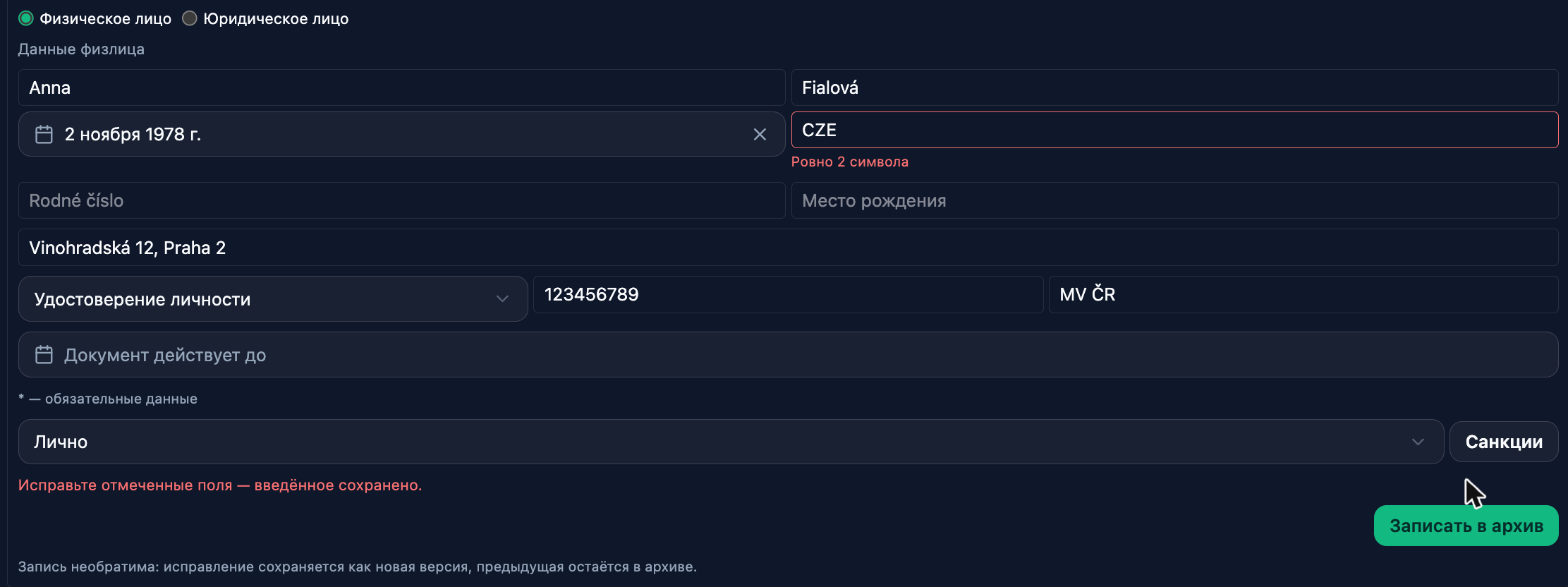
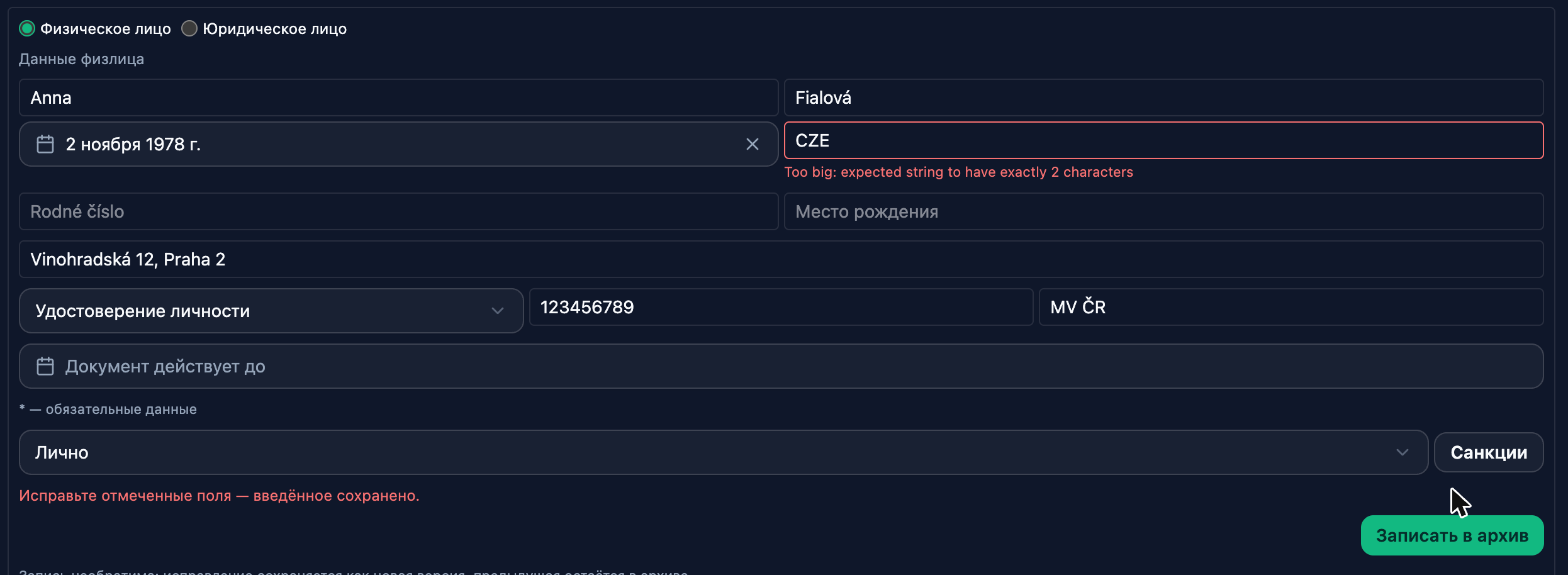
Every server rejection is now shown in the words of the interface — in Czech, English, or Russian, whichever is selected in your profile. Previously, technical English could appear under a form field ("Invalid input: expected string…", "Slug is reserved"), and hints in different places were sometimes in Czech, sometimes in Russian.

More
  • Under form fields — a clear label: "Vyplňte toto pole", "Přesně 2 znaky", "Zadejte platný e-mail".
  • Action rejections — an explanation of exactly what is wrong and what to do: "Tato adresa je vyhrazená — zvolte jinou", "V ukázkové kanceláři web nejde publikovat — použijte náhled v sekci Web", "Dokončený obchod se neuzavírá jinak — nejdřív jej znovu otevřete".
  • No connection — a dedicated message instead of "Failed to fetch".
Before: Zod technical text under the “Citizenship” field
After: “Exactly 2 characters” in the interface language

Permanent link

CHG2b#platforma

Novinky with pictures: before → after in every entry

Пара «было → стало» в записи Novinky

Posts in Novinky and in "Co je nového" now show, not just tell: every change that is visible on screen has a screenshot or a short video, and where something familiar has changed, there are two screenshots side by side — before and after, with captions. On a wide display the pair sits side by side; on a phone they stack vertically. Videos inside a post play automatically, without sound.

More

October entries — case path, viewings, templates, statistics, land register, "Send to client", demands, the assistant circle — got screenshots from the demo office: open any of them and you know what it is about in a second.

The news feed in the app still follows the interface language: Czech, English, or Russian. Posts are written in the team's language and translated into the other two; where a translation is not yet available, the original is shown with a note.

Otevřít Co je nového

Permanent link

VID1#crm

New look of sections — Contacts, Viewings, Tasks, Calendar, Requests, Deals

Six sections got a unified look. For now it is a trial: turn it on in the profile menu → New look; the same switch takes you back.

More
  • One row above every list: All / Rent / Sale, search, Responsible (an agent sees their own, management the whole agency), urgent buttons and a single Filters button.
  • Days in Viewings, Tasks and Calendar work the same: arrows ‹ date › (clicking the date opens the month and "Today") and Day / Week on the right. Viewings and Tasks open on today; urgent items (overdue, no outcome) are always on top.
  • Tasks as a diary: the date in a column on the left, the day's tasks on the right. A new task via a button and a window; linking it to a client or a deal is optional. A task card opens as a window — edit everything right there (title, due, assignee, description, links); arrows ‹ › move between tasks.
  • Calendar like Google Calendar: the day in two lines, today in a circle; blocks in three sizes (short — "what · when", an hour — what / time, longer — also the place), the event kind as an icon. The legend sits under ⓘ next to the title.
  • Deals: only open ones by default; an overdue deal shows why ("Overdue 2 days · Call…") and the row has a next-step button. A missing document is a green outline, an uploaded one a filled square.
  • Requests: instead of a separate "Matches" view, a New matches N button; a request card opens as a window over the list — what the client wanted, criteria and matched listings with "Offer", and arrows ‹ › to move between requests. Filters now have Source (website, portal, phone…).
  • Viewings: days as a diary, client confirmation on every viewing.
  • Contacts: Owners / Clients / Partners as buttons with counts right above the list; rent and sale come from the contact's cases (property, request, deal), so they work for migrated contacts without a label too. Filters gain case step and label. The contact card opens as a window with ‹ › arrows — channels, cases, tasks, documents with "Upload"; AML, consents and registries folded. A Contact button: email from the card, WhatsApp, call.
  • Responsible looks the same in every row: a circle with initials and the name.

Permanent link

POL3#platforma

Assistant as a circle in the corner of the screen

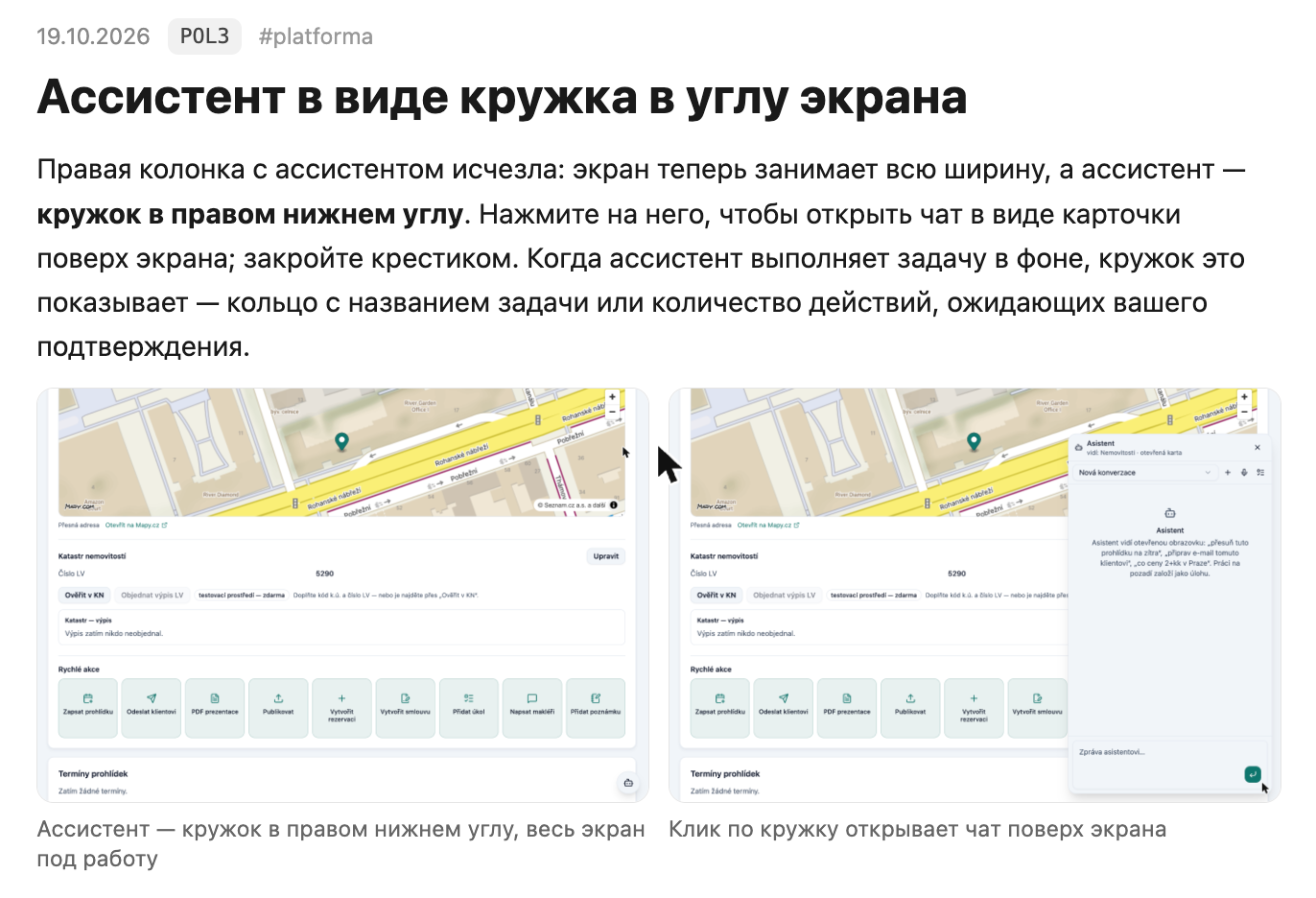
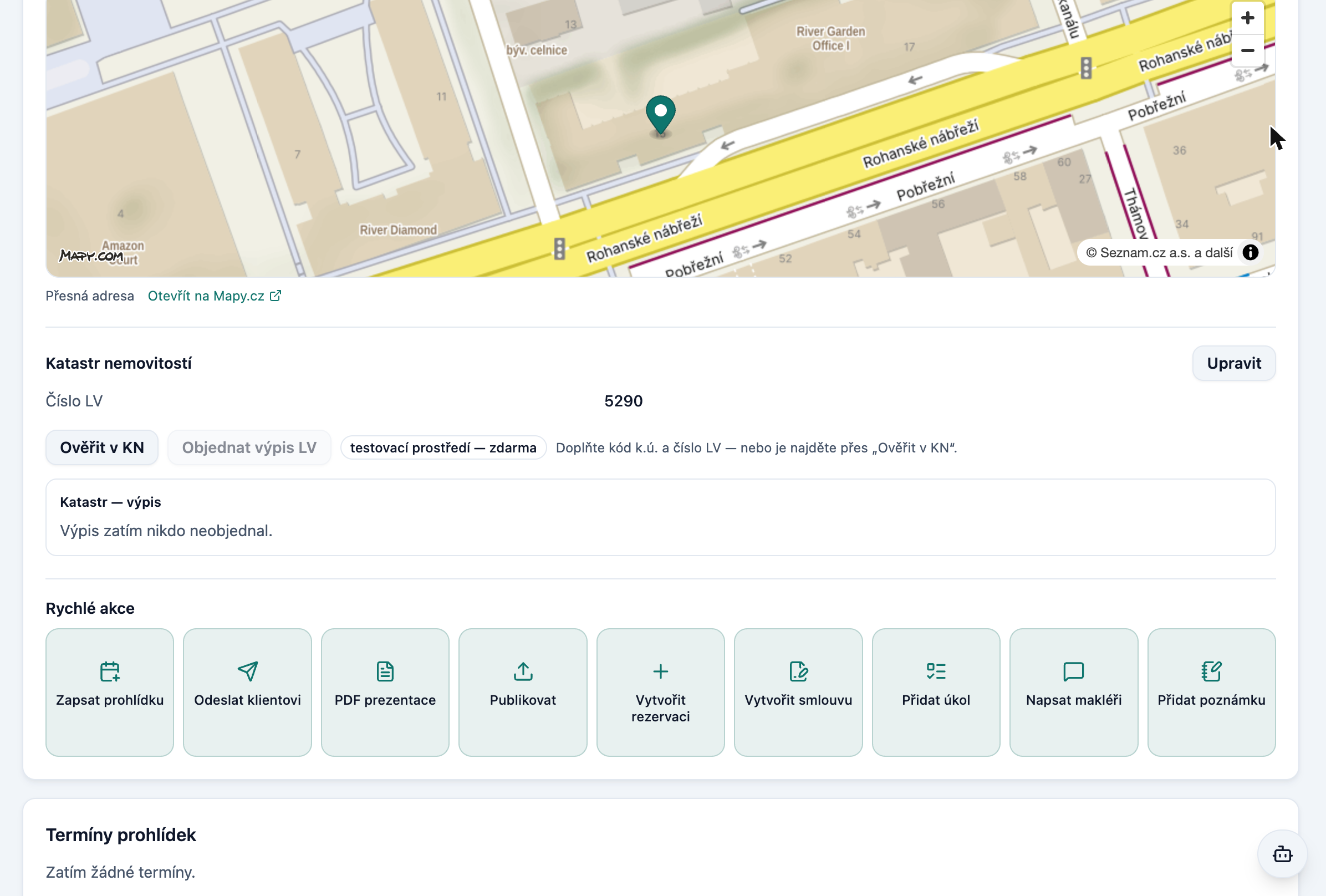
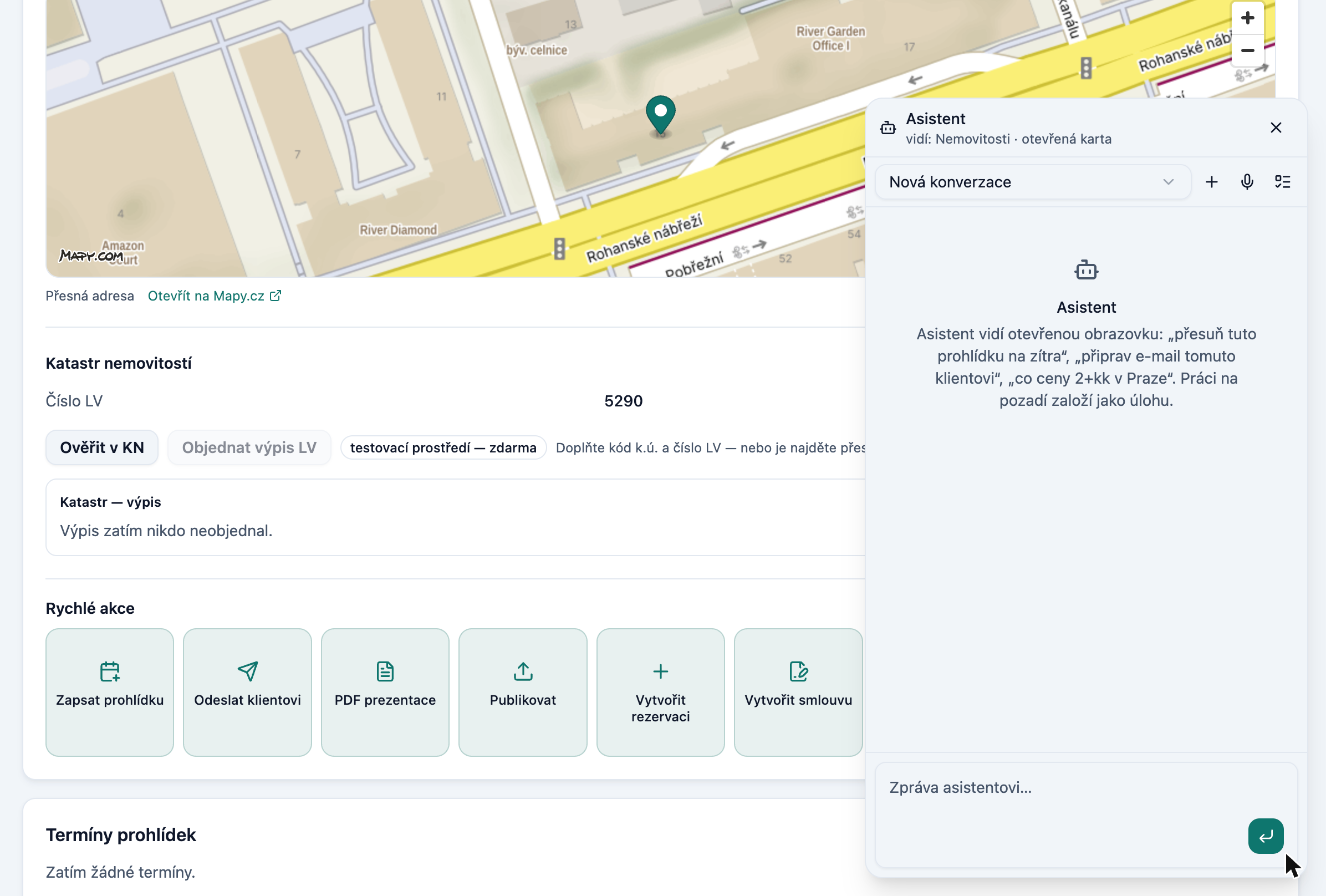
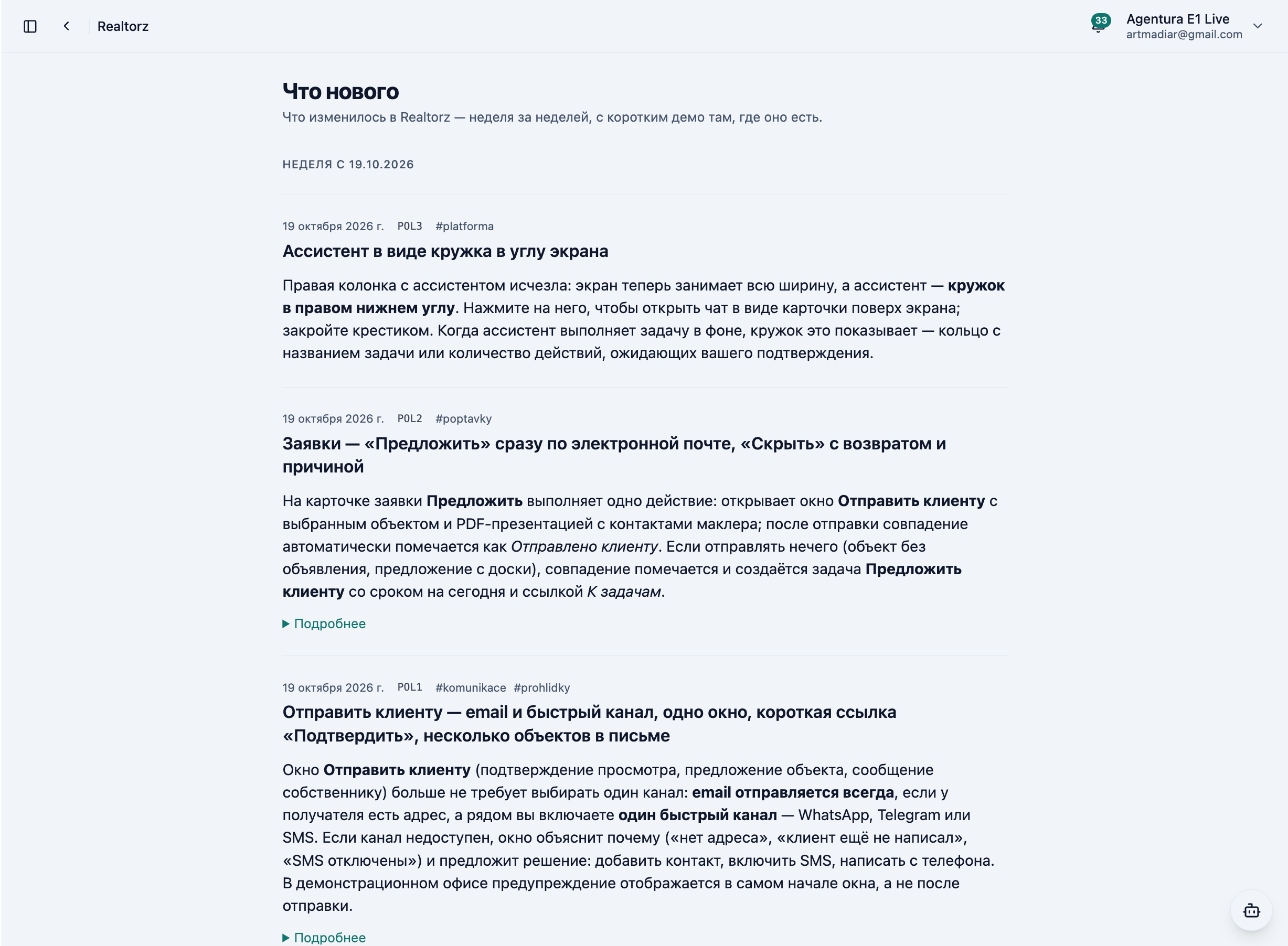
The right column with the assistant is gone: the screen now uses its full width, and the assistant is a circle in the bottom-right corner. Click it to open the chat as a card over the screen; close it with the X. When the assistant is working in the background, the circle shows it — a ring with the task name, or the number of actions waiting for your approval.

More
Assistant as a circle in the bottom-right corner, the whole screen for work
A click on the circle opens the chat over the screen

Permanent link

POL2#poptavky

Inquiries — "Suggest" directly by email, "Hide" with return option and reason

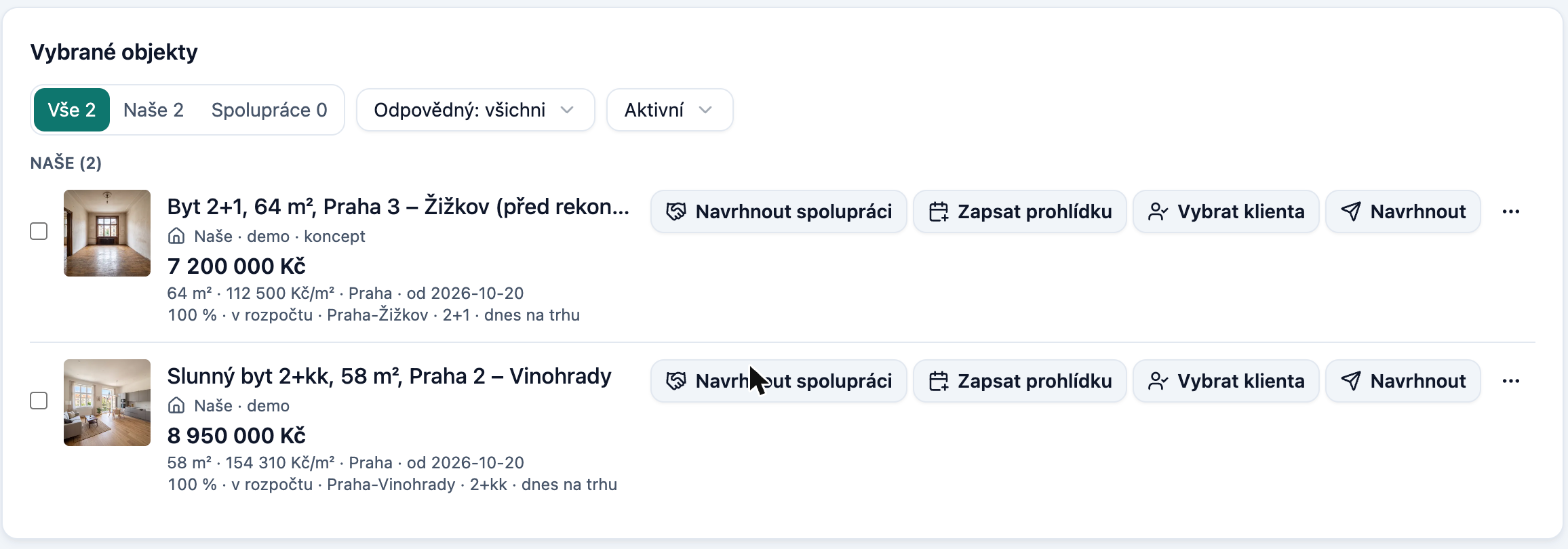
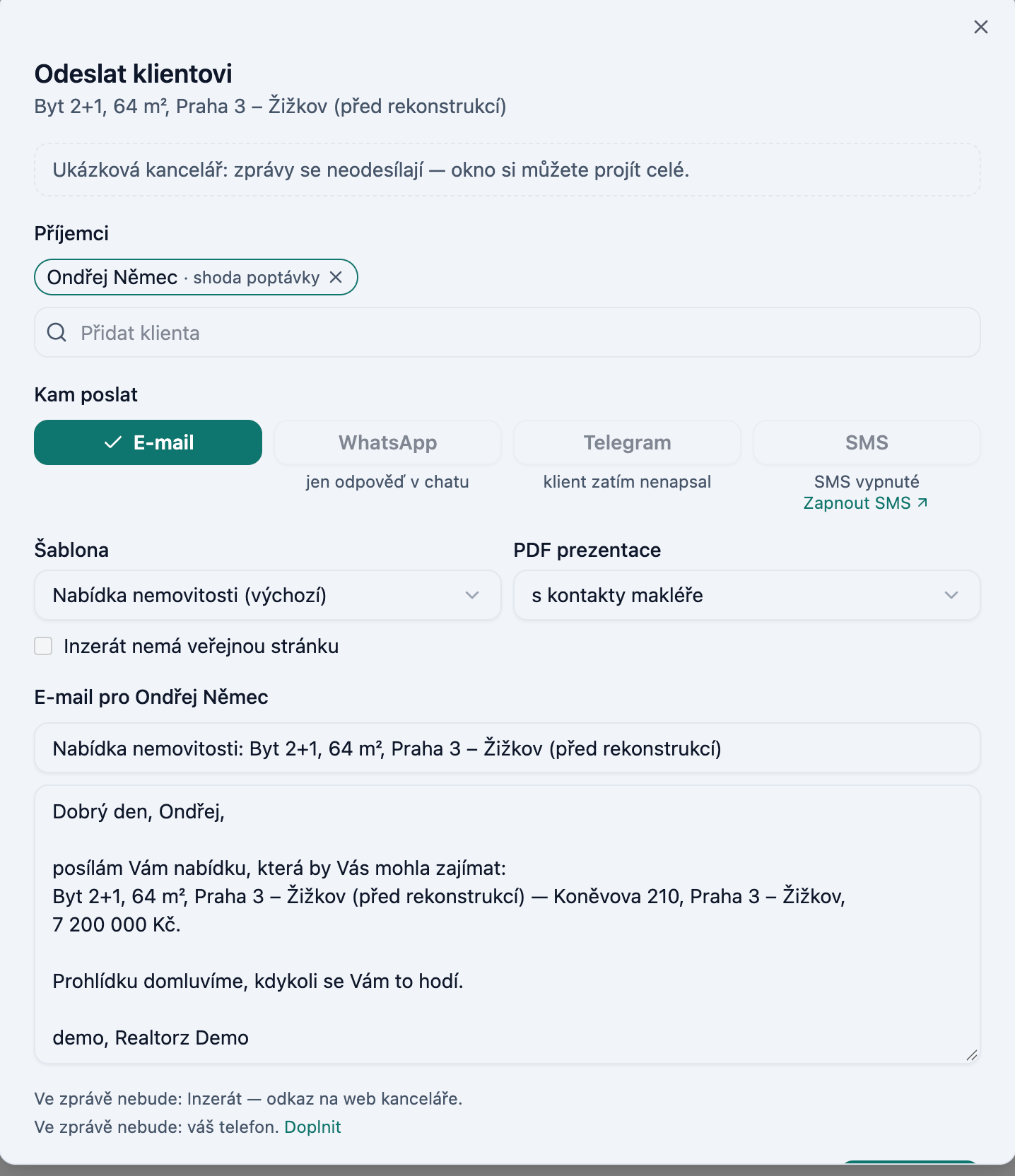
On the inquiry card, Suggest does one thing: it opens the Send to client window with the given property and a PDF presentation with the agent's contacts; after sending, the match is automatically marked as Sent to client. When there is nothing to send (a property without a listing, an offer from the board), the match is marked and a task Suggest to client is created with today's due date and a Go to tasks link.

More
Demand matches: a Propose button on each property
Propose opens the e-mail window for the client

Hide no longer moves the row anywhere: it stays in place as a Hidden · Restore bar, and you can (but don't have to) enter a reason — too far, too expensive, layout, condition, other. The Hidden filter now actually shows hidden matches (it used to be always empty). The order of matches remains the same between sessions, and the counts on the inquiry card, in the list, and in Matches are consistent.

Otevřít poptávky

Permanent link

POL1#komunikace#prohlidky

Send to Client — email and quick channel, one window, short

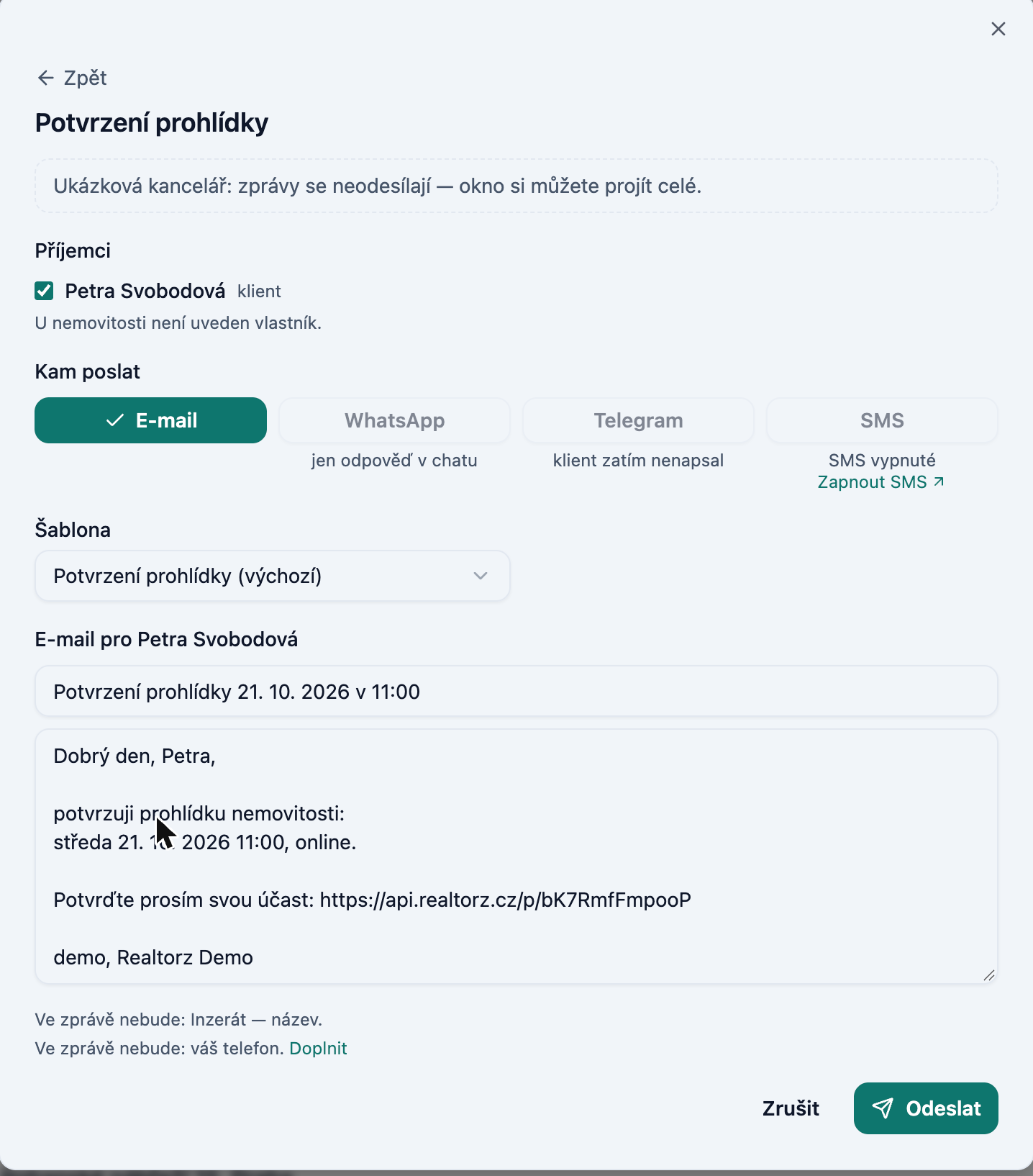
The Send to Client window (viewing confirmation, property offer, message to the owner) no longer requires you to choose a single channel: email is always sent when the recipient has an address, and alongside it you can enable one quick channel — WhatsApp, Telegram, or SMS. If a channel cannot be used, the window explains why ("no address", "client hasn't written yet", "SMS is disabled") and suggests what to do: add a contact, enable SMS, or write from your phone. In the demo office, the notice appears at the top of the window — not after sending.

More

Send to client window: recipients, channel, template and e-mail text in one place

One window on the screen

From a viewing or deal card, the email, viewing result, or property selection opens in the same window as a step with a ← Back arrow; Esc goes one step back. You select recipients by ticking checkboxes directly in the message window (viewing clients + owner, each receiving their own text in a single send) — the separate "Who to notify?" window is gone.

Viewing confirmation with a short link

Both the email and SMS about a viewing include a button / short link Confirm instead of a long URL. The confirmation SMS is now one segment instead of three — cheaper and easier to read. Rescheduling a viewing invalidates the old link; a new one arrives with the new time. URLs in the email are clickable.

Multiple properties in one email

On the inquiry card, tick several properties and click Send selected (N): the client receives one Property Offer email with a block for each property, a PDF presentation, and a link. The selected properties appear as tags in the window.

Recipients by deal

At the top of the recipient list are clients whose inquiry matches the property (tag inquiry match); the owner is last (tag owner). The Matches from inquiries row adds them all in one click.

Otevřít prohlídky

Permanent link

CHG2#platforma

What's new — now inside the app, in three languages

Co je nového v CRM — lenta záznamů v ruštině, týden od 19. 10. 2026

A What's new item has been added to the user menu (top right): the same feed as on realtorz.cz/novinky, but inside the app and in your interface language — Czech, English, or Russian. Records you haven't opened yet are indicated by a dot next to your name and a count next to the menu item; opening the feed clears them.

More

The news on the website also has English and Russian versions (/en/novinky, /ru/novinky); the language switcher is at the top. A record without a translation is displayed in Czech with a note.

Otevřít Co je nového

Permanent link

Week of 12 Oct 2026

REG1#compliance#platforma

Registry credit and test environment

Paid registries — enforcement checks (CEE) and land registry extracts (LV) — are now paid from the organisation's credit. The price is shown directly on the button ("Verify in CEE · 84 Kč", "Order LV extract · 140 Kč"); you can see the balance and price list in Settings → Organisation → Registry credit. If the credit is insufficient, the button is inactive and nothing is ordered or charged — the balance cannot go negative. Credit is topped up by Realtorz on the basis of an invoice.

More

The demo office and sandbox run in the test environment of the registries: checks and extracts are free of charge, the data is fictitious, so you can try out the entire process without spending anything.

Permanent link

KAT1b#compliance#nemovitosti

Land registry extract directly from the property card

The property card contains a Land Registry block: use the Verify in LR button to verify the cadastral area and LV number directly against ČÚZK, and use the Order LV extract button to order an official extract. The completed extract is saved to the property as an attachment (PDF), and from it the owners, restrictions (liens, easements, enforcement orders) and any pending entry flags are filled in. The property then shows the date it was last verified.

More

Land Register block on the property card: Verify in KN and Order LV extract

How it works

  1. Open the property → Overview tab → Land Registry block. Enter the cadastral area and LV number (these are usually pre-filled for properties imported from listings).
  2. Verify in LR — free of charge; within a few seconds it will respond whether the LV exists in the given area. "Nothing found" means the k.ú. or number needs to be checked.
  3. Order LV extract — charged according to the ČÚZK price list (the price is shown on the button and is deducted from the organisation's credit). The order runs in the background: you can see its status directly in the block, and once complete, the LR Extract attachment and the Owners per LR panel will appear.
  4. At any later time: Verify again refreshes the verification date.

The demo office runs against the land registry test environment: extracts are free and the data is fictitious, so you can walk through the entire process without any cost.

Otevřít nemovitosti

Permanent link

AML2#compliance

Enforcement check (CEE) on a contact

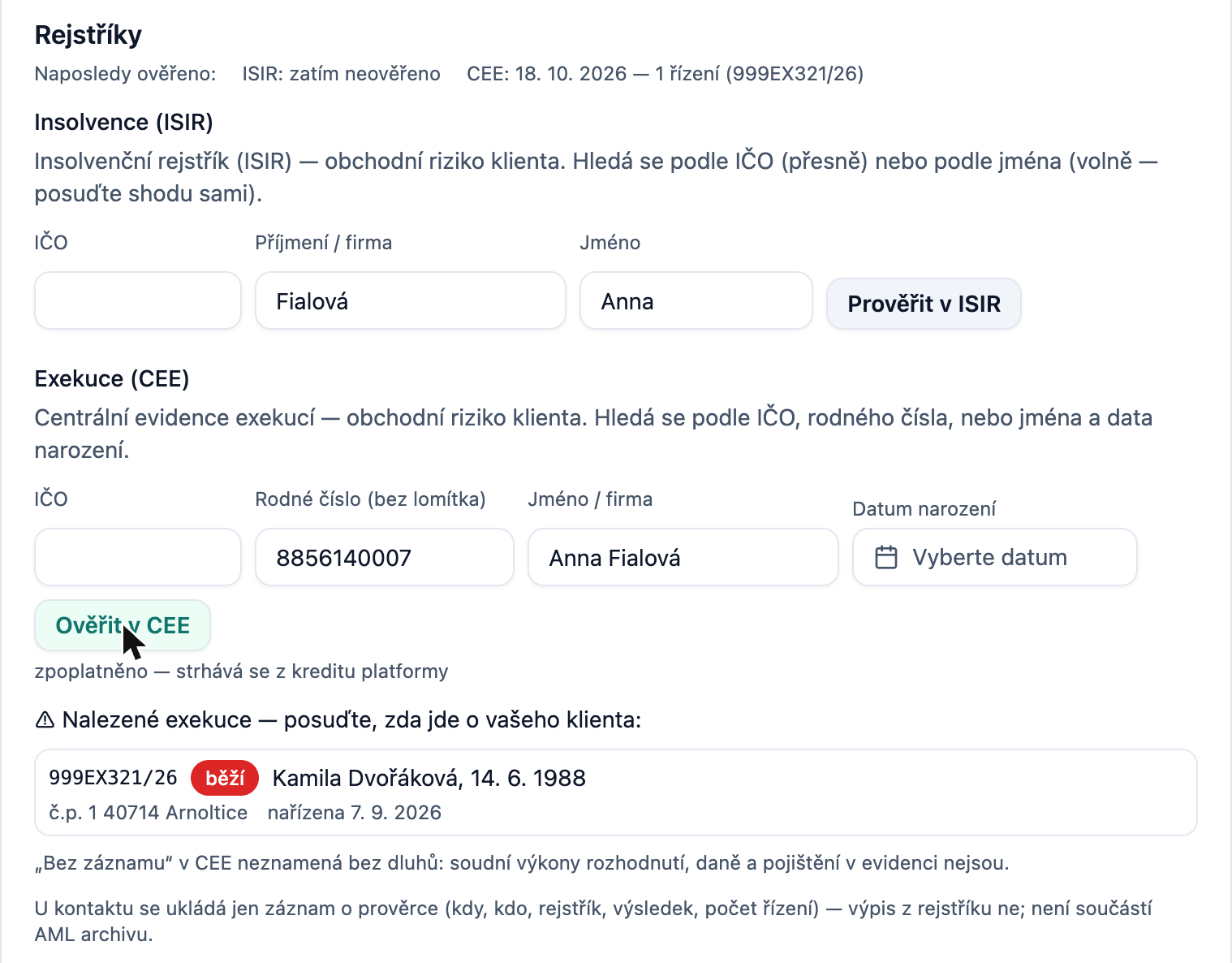
In the contact card, the Registries block now includes a check against the Central Registry of Enforcement (CEE) alongside the insolvency registry: with a single click you can find out whether enforcement proceedings are being conducted against a client or company, at which authority, and since when. The result of each check is now saved to the contact as evidence that the verification took place, and the deal's AML questionnaire will gently flag it.

More

How to try it

  1. Open Contacts → any contact → Edit. Scroll down to the Registries block (or click the anchor link #rejstriky).
  2. The Last verified row shows when and with what result the contact was last checked in ISIR and CEE. A new contact shows "not yet verified".
  3. In the Enforcement (CEE) section, enter a company registration number (company), birth number without a slash (individual), or name + date of birth. The fields are pre-filled from the last AML identification, otherwise from the card name.
  4. Click Verify in CEE. The query is charged and deducted from the platform credit — this is stated below the button, and after the query you can see how much it cost.
  5. Result:
    • No record in CEE — the registry found nothing;
    • Enforcement proceedings found — a list of proceedings: case reference, status (ongoing / closed), obligor with date of birth or company registration number, address, enforcement office, amount claimed, date of order. You assess the match yourself — name searches also return people with the same name;
    • Registry did not respond — not checked — the source was unavailable; this is never shown as "no record".
  6. The Last verified row is updated immediately, and the "enforcement not verified" notice disappears on any deal where the contact is a participant.

Registries block with enforcement proceedings found

What is saved and what is not

Only a verification record is saved to the contact: when, by whom, which registry, the result, the number of proceedings, and the query cost. The registry extract is not saved and does not belong in the AML archive — this is a business risk matter, not a statutory obligation, and the record is deleted together with the contact when erased in accordance with GDPR. The same now applies to ISIR: a check from the contact card is recorded in the same way.

Notice in the deal's AML questionnaire

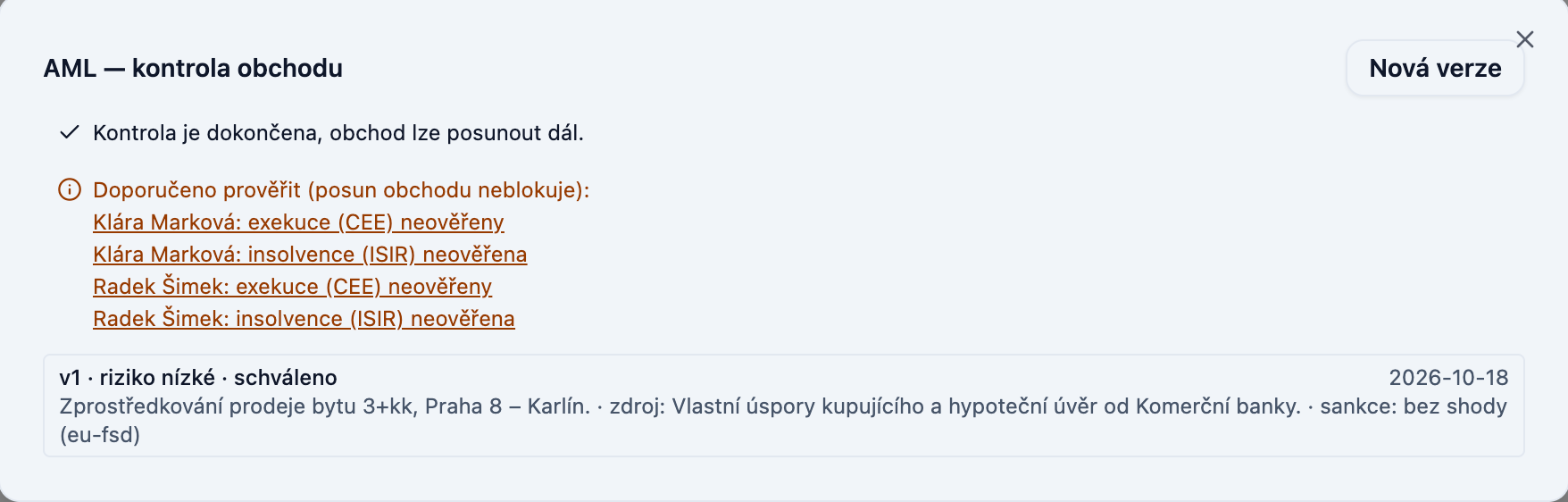
In the AML block on a deal and in the AML check window, a gentle notice appears below the mandatory items if any participant has not been verified in CEE or ISIR, or if the check is older than 30 days. This does not block the deal — enforcement proceedings are not governed by a statutory requirement, and the decision rests with the broker. Clicking on a name takes you directly to the Registries block.

Deal AML check window with a recommendation to verify participants

Things to keep in mind

  • "No record" in CEE does not mean no debts: court enforcement orders, taxes, and insurance are not included in this registry.
  • If the platform credit is exhausted, instead of a result you will see "Platform credit for CEE is exhausted — contact support"; nothing is charged.
  • The assistant can trigger a check from the chat ("check enforcement for …"), but only on explicit request and will always state that it is a paid query.

Otevřít kontakty

Permanent link

STAT1#prehledy

Agency Statistics

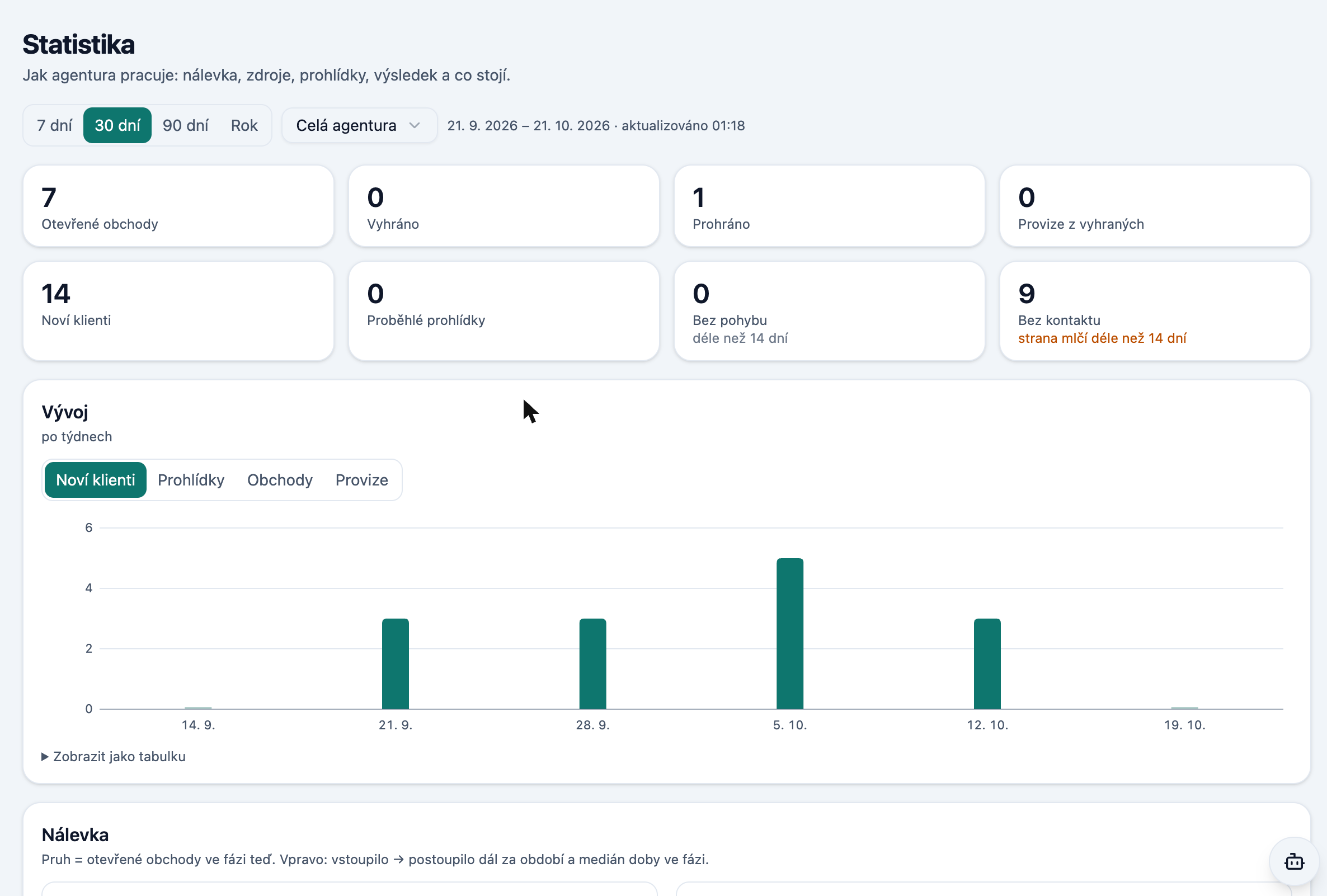
A new Statistics section for agency owners and managers is now available under Overview. For 7, 30, 90, or 365 days it shows the entire agency or a single broker: a case funnel by stage, new contacts and inquiries, viewings and their outcomes, closed deals with commission, and stalled cases.

More

Agency statistics for 30 days: numbers, weekly trend, funnel

When closing a deal as "Lost" or "Cancelled" you now select a reason — for example, a price disagreement. The statistics will then show why deals are falling through. The figures are also available in the workspace overview for assistants.

Otevřít Statistiku

Permanent link

MSG2a#komunikace#zpravy

WhatsApp in correspondence and phone as the key to the client

WhatsApp has been added to Messages. The agent's business number is connected in the profile with a single QR code (WhatsApp → Linked Devices), and from that moment conversations with clients appear in the CRM alongside email, Telegram, and SMS — including messages the agent sends from their phone, photos, and documents. Replies can be sent directly from the thread, and the client receives the message from the agent.

More

Messages: E-mail, Telegram, SMS and WhatsApp channels in one list

One rule applies: via WhatsApp, the CRM only allows replying within an active conversation. Listings and initial outreach cannot be sent through the channel — the agent writes those from their phone. Conversations from the business number are visible to the agency by default.

A client is now identified by phone number: a WhatsApp message or SMS from a number associated with the client's card is matched to it automatically. Previously, an SMS from a number with no prior thread would be lost.

Permanent link

CHG1#platforma

Realtorz Updates — What Changed and Why

From now on, every completed change in Realtorz has its own record: what changed, for whom, and a short silent video where applicable. You'll find the records here, at realtorz.cz/novinky, ordered by week; each one has its own address and buttons that lead directly to the relevant place in the app.

More

It's also our rhythm: a closed batch of work = a record. We've added older changes from recent weeks retrospectively.

Permanent link

ARC1#platforma

Archive — deleted items can be restored

A new "Archive" link has appeared below the knowledge section tree. Deleted emails, documents, pages and files remain there for 30 days and can be restored using the "Restore" button.

More

If the folder the item was in still exists, it will be returned to its original location; otherwise it will go to the root. After 30 days the item is permanently deleted along with its attachments. Contacts and deals are not saved to the archive.

Permanent link

TPL2a#sablony

"Used in" and template protection from deletion

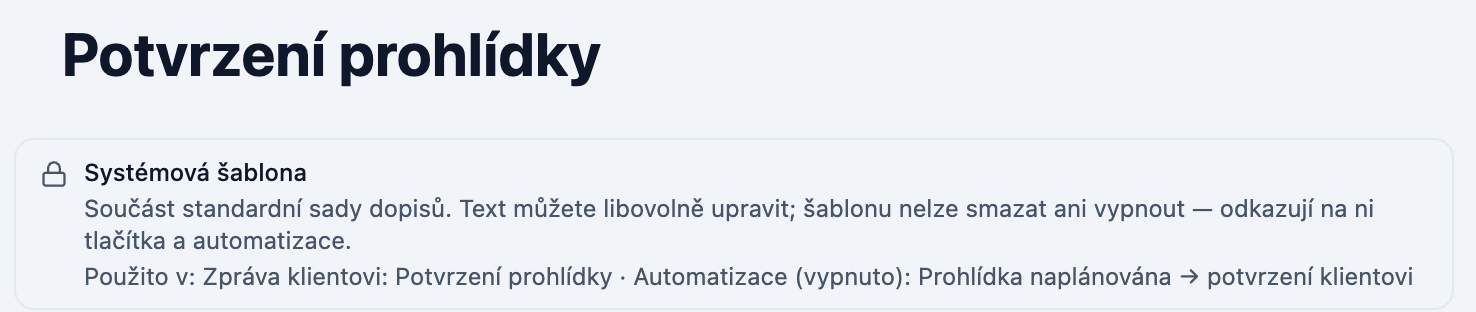
For each email template you can see where it is actually used: in which automation, message-compose button, or card. The link to an automation takes you directly to it.

More

System template: cannot be deleted, “Used in” lists the buttons and automations

A template held by an active automation cannot be deleted or disabled. Instead of a cryptic error you will see which automations depend on it. A disabled automation does not block the template.

Otevřít Šablony e-mailů

Permanent link

TPL1#sablony

System email set in Templates

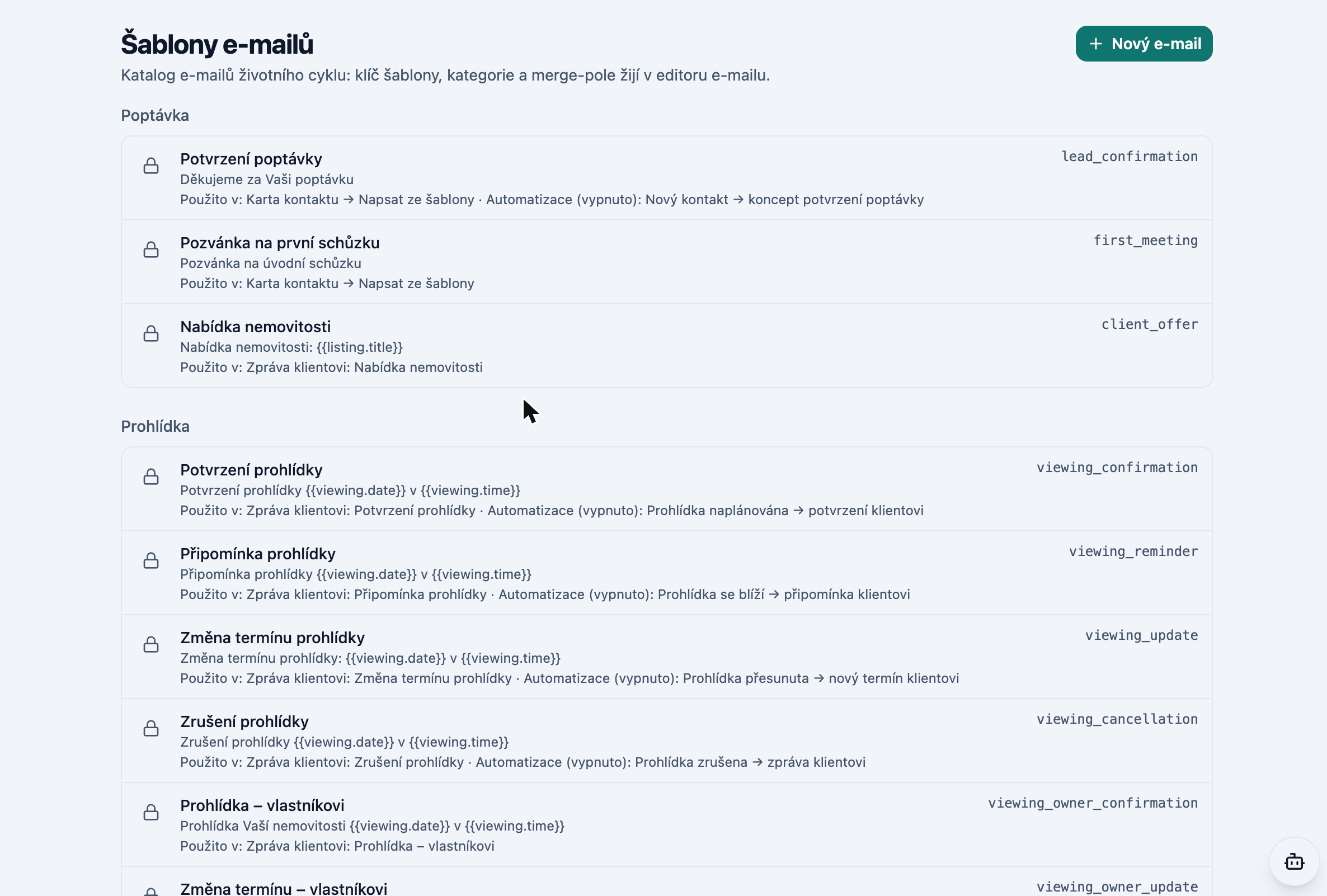
Every agency now receives a ready-made set of 15 emails based on the case journey: for inquiries, viewings, deals and rentals. You will find them directly in the Email Templates section, organized into categories.

More

E-mail templates: the system set with a lock and a “Used in” line

System emails can be read and edited, but cannot be deleted. Edited content can be restored to its original state using the "Restore default" button. For each email you can see where it is used and a preview with sample data. Your edits will not be overwritten when the set is updated.

Otevřít Šablony e-mailů

Permanent link

PROH1#prohlidky#obchody

Viewings follow a new logic

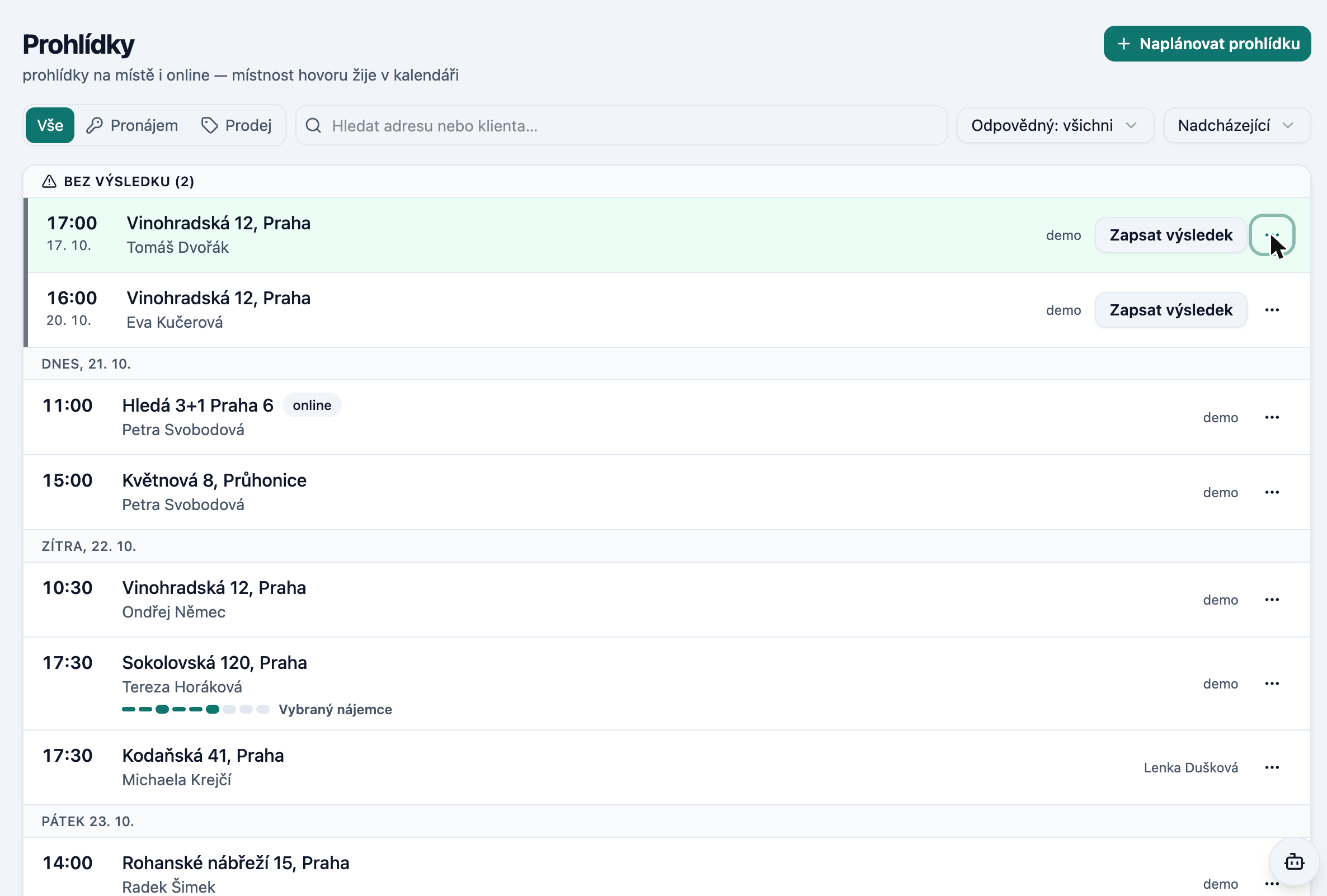
Viewings are now part of the case journey and the list is sorted by day. At the top you will see viewings marked "No result" – those that took place but have no recorded outcome – with a "Record result" button. Filters work the same way as in Inquiries.

More

Viewings: upcoming by day, unresolved ones on top

A viewing can also be logged against a property with no deal, directly from the property card, from the Viewings list, from the calendar, or from the selection on an inquiry. You record the outcome in a single window; if the client is interested or wants to reserve, it immediately offers "Close and select by client".

The "What next" button now opens the required window directly – for example the client selection – and in "Select client" the clients from viewings appear at the top. Tasks have the same day-by-day overview.

Otevřít Prohlídky

Permanent link

Week of 5 Oct 2026

PATH5#obchody#crm

Unified case journey and next step

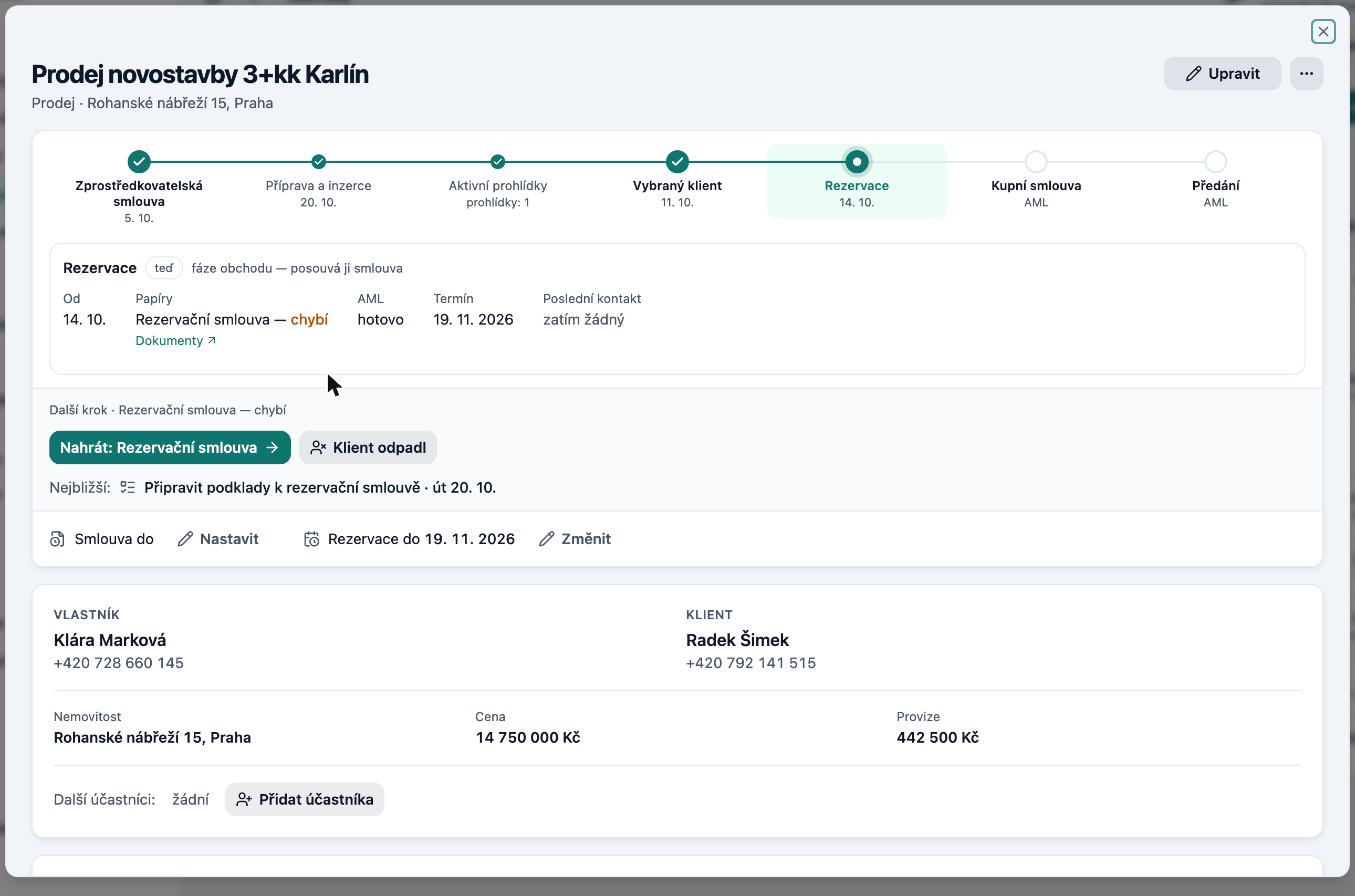
Every case – a property, an inquiry, or a deal – now follows the same journey with the same steps. At a glance you can see where a case stands, what has already happened, and how it ended: for a closed case the date and outcome are shown in plain text.

More

Deal card: the case path on top and the next step below it

Each step includes a hint: what documents are needed, what the deadlines are, what the task is, and the latest correspondence. A small dot with the journey indicator appears in the property, inquiry, and deal lists, and on a contact card you can see all cases for that person. Lists can be filtered and sorted by step and by whether a case is stalled.

We will now also draw your attention to the next step: on case cards, on the dashboard, and in the Today view in the "What requires me" block.

Otevřít Obchody

Permanent link